Product Design · Enterprise UX
2026
Standardizing permission-aware account selection at scale
Designing a scalable account selection system that adapts to complex hierarchies, varying permissions, a datasets ranging from 1 to 30,000+ accounts.
Role
UX lead
Team
Design, product, engineering
Timeline
5 months
Industry
Financial services

Context
Project overview
Skip to solution
BNY’s Reporting product allows enterprise users to run reports on financial activity such as payments and balances. Across these reports, users select which accounts they want to include. I designed a new account selection experience to support increasingly complex account structures and selection needs.
What I did
Designed a new account selection component for BNY’s Reporting product that later scaled across the online banking platform.
Why it mattered
Existing selection patterns did not support the scale and complexity of BNY's new virtual account offering.
Account structure and identification
Accounts can be physical or virtual, with virtual accounts nested under physical accounts. What users see and how accounts are grouped depends on their permissions.
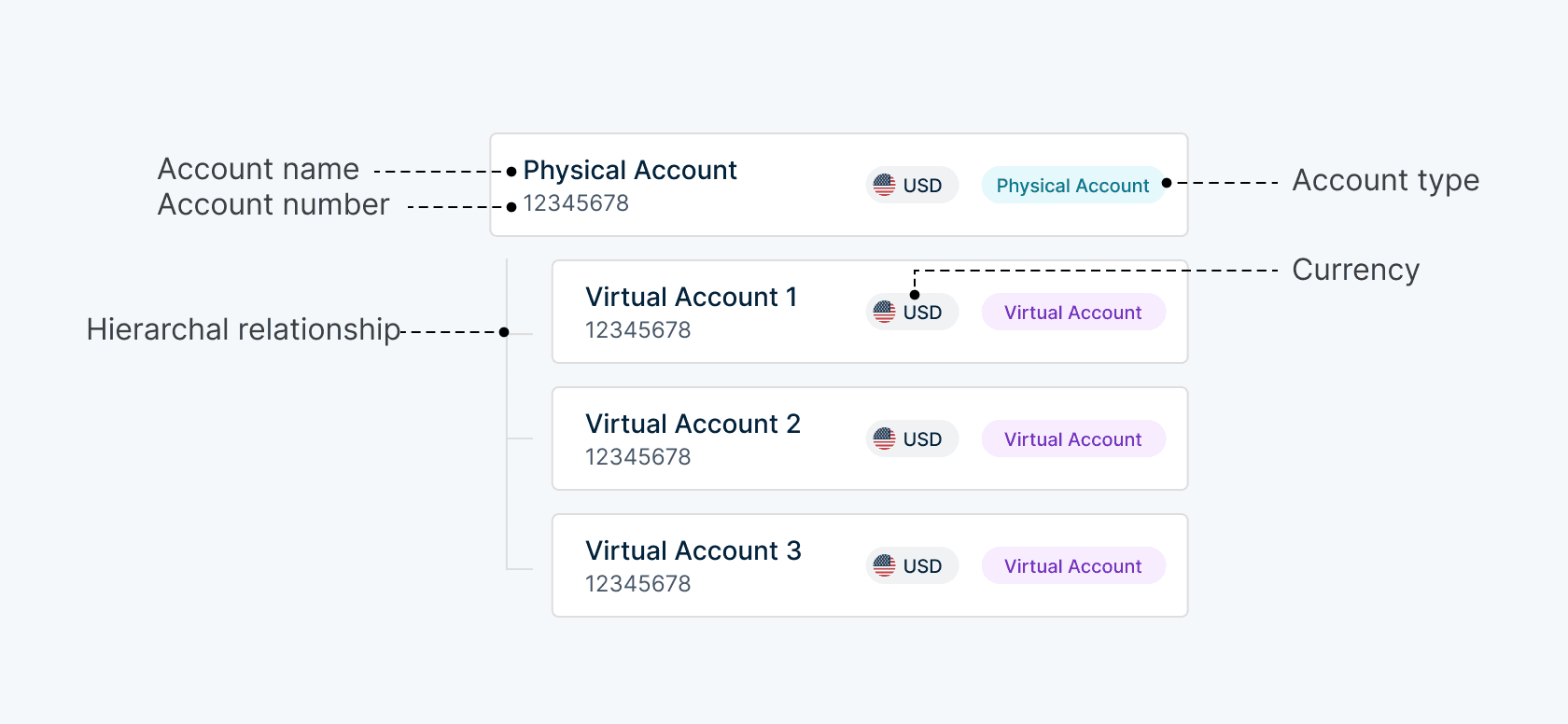
Users rely on name, number, currency, type, and hierarchical relationships for accurate identification.
Permission-based user types
Instead of fixed personas, users are defined by role and access.
Internal users
BNY teams supporting operational and servicing workflows
Client users
Enterprise treasury teams managing accounts and reporting workflows
External users
Third-party users (such as contractors) with limited or controlled acces
Problem

User need
Quickly identify and select relevant accounts across hierarchical structures
Business need
Support consistent account selection across growing datasets and workflows
I had two key challenges to solve
Challenge 1

Account identification
How might we uncover and surface the key attributes users rely on to quickly and accurately identify their accounts?
Challenge 2

Account selection
How might we adapt this experience to different dataset sizes and selection intents, ranging from individual accounts to large sets?
Understanding user behavior
I spoke with product owners and analyzed existing workflows to better understand user behavior.
Insight
Account selection is a retrieval and validation problem, not a discovery problem.
Users often arrive with externally maintained account lists, known account numbers, and specific accounts they intend to select.
Solution
Three hierarchy patterns for different levels of access
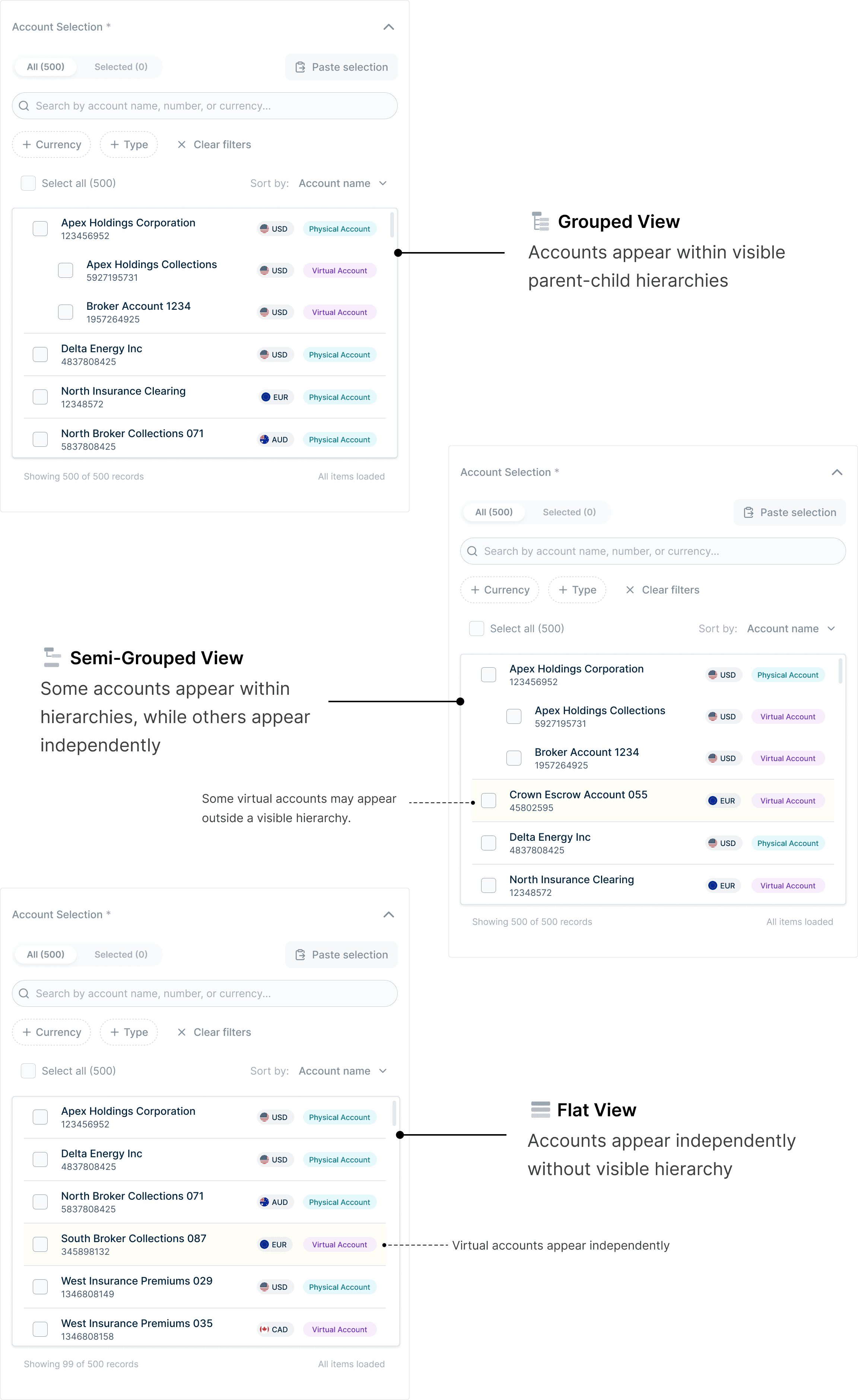
Users see different account structures based on their permissions. I defined three hierarchy patterns to account for these variations: grouped, semi-grouped, and flat.
What does this look like in a UI?
Supporting different selection intents
Dataset size and the task at hand shape how users approach account selection, requiring different ways to find and select accounts.
Paste-to-match selection
Users with large, externally maintained account lists can paste them in to automatically match and select accounts.
Attribute-based filtering
Users can filter by common attributes to quickly select groups of relevant accounts.
Hierarchy-aware search
Searching for a physical account returns its child accounts, allowing users to select the entire group at once.
Process
As the problem grew, so did the solution
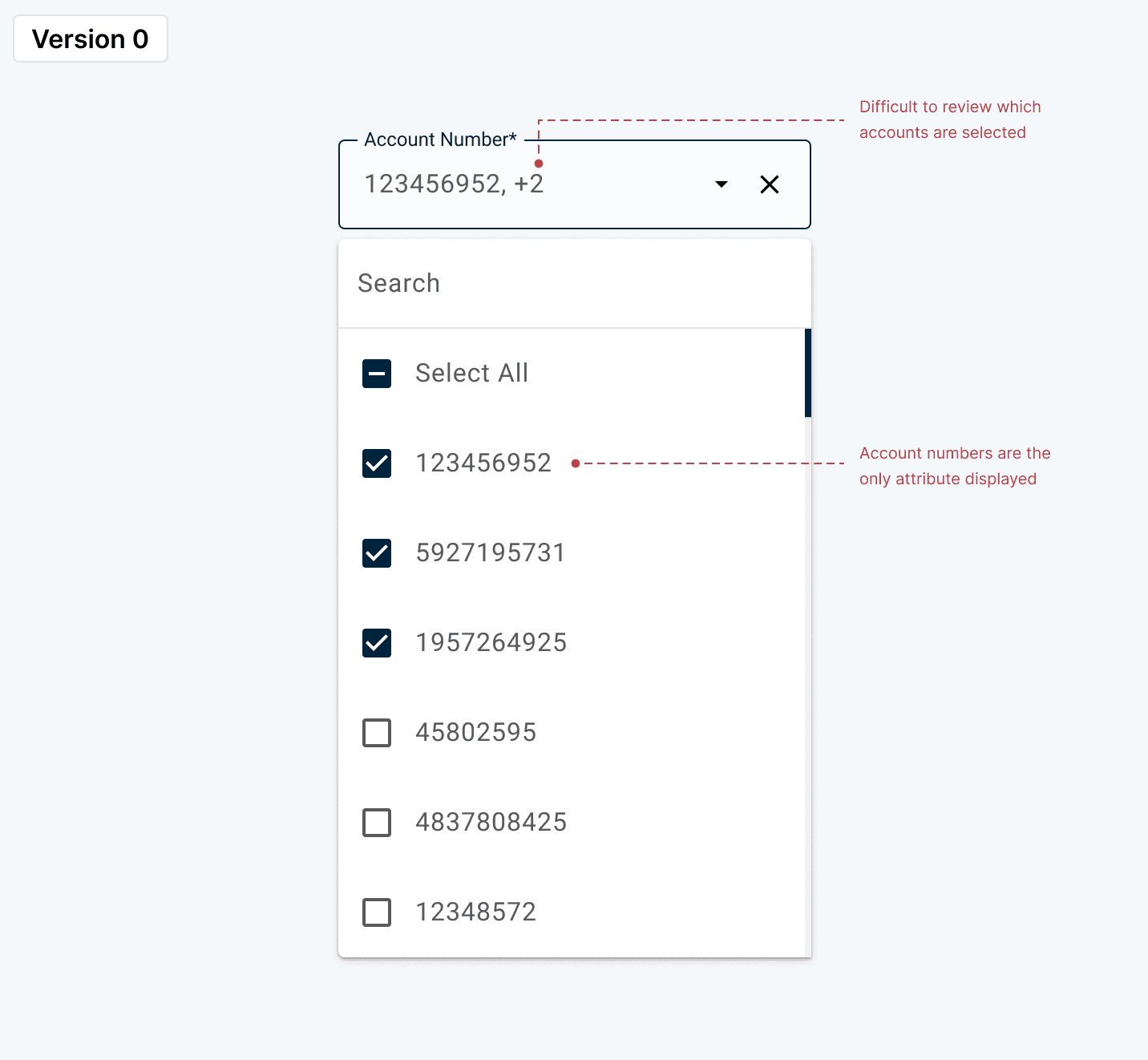
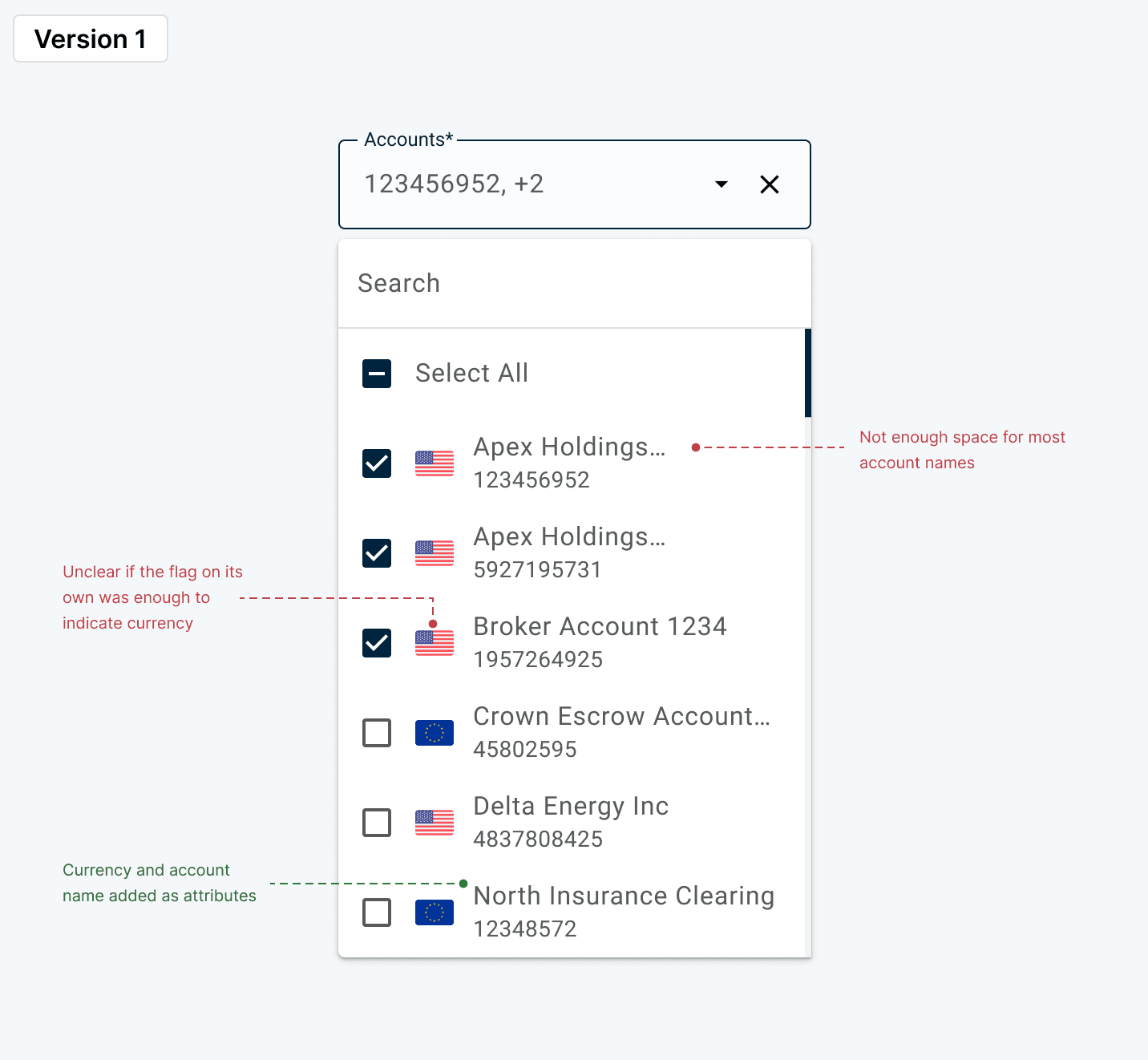
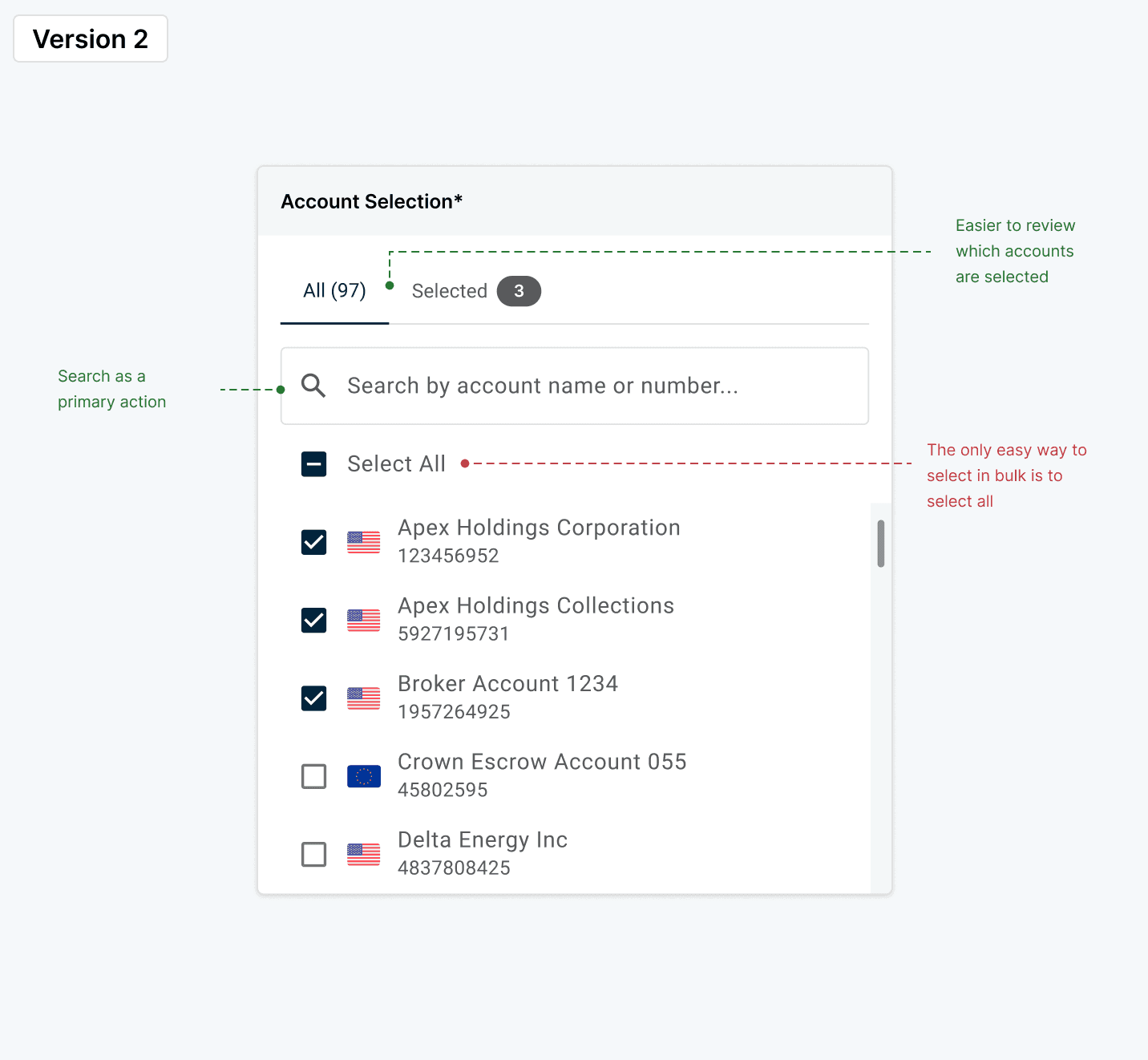
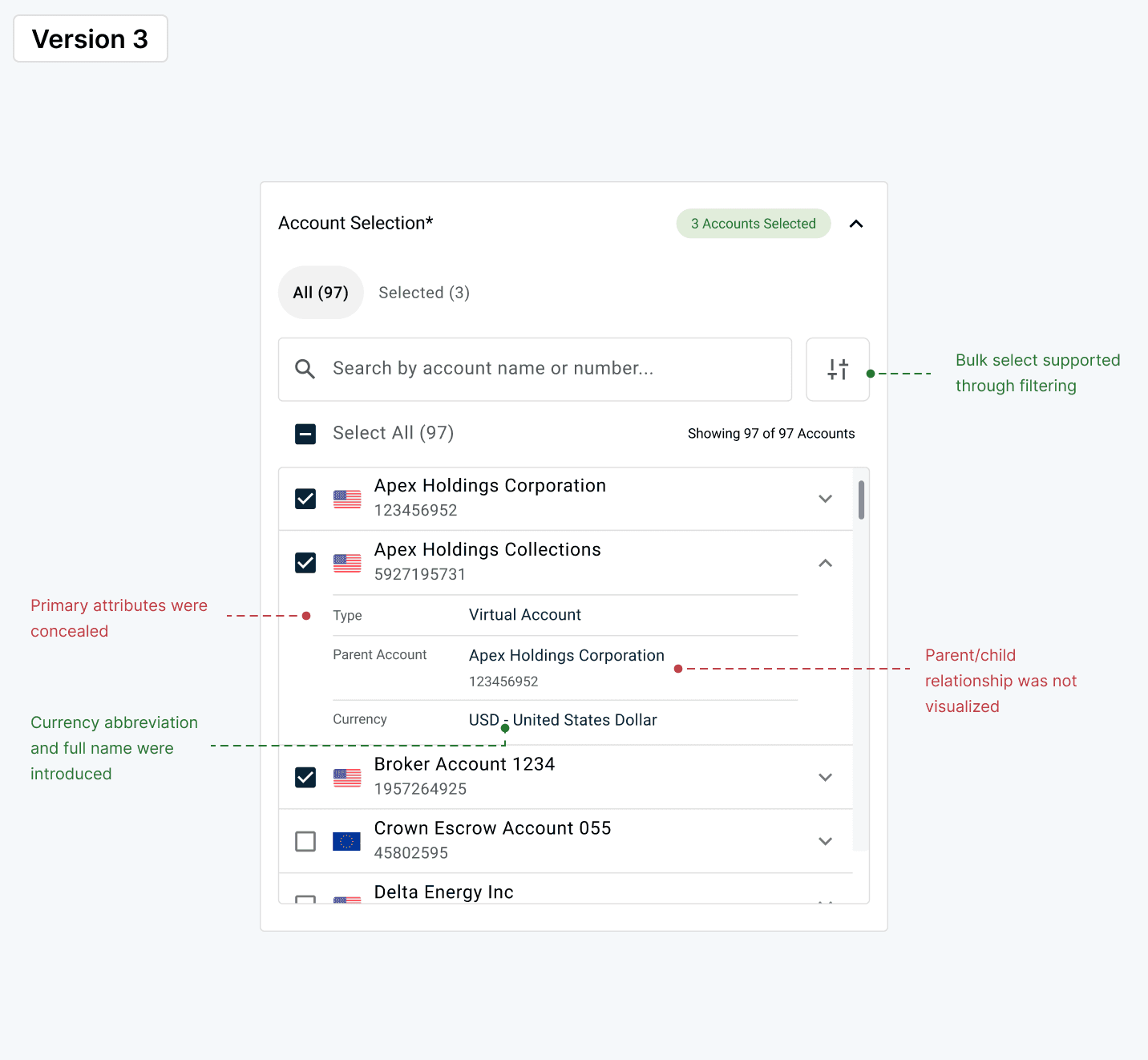
What began as a lightweight enhancement to an existing account dropdown evolved as new requirements surfaced, ultimately requiring a new, scalable selection model.

Future enhancements
Things I'd like to explore further:

Do users need a separate selected view?
Can selections can be surfaced effectively within search and filtering, or is a dedicated review step better for supporting reviewing selections?

Is there a use case for saving and reusing account groups?
If users maintain external lists of accounts to report on, could we allow them to create and store reusable groups within our product to support Reporting and other areas of online banking?
Takeaways
Key Learnings
This project taught me the importance of designing beyond the immediate use case. What started as a reporting feature evolved into a reusable platform component by focusing on core user needs rather than workflow-specific requirements.
This experience strengthened my ability to balance scalability, flexibility, and consistency in complex enterprise systems.