Empowering meaningful relationships and brand resemblance
UX/UI Design, UX Research, Brand Design, Illustration
November 2024
Background
Pinetree is a customer relationship management (CRM) tool with a mission to empower individuals to build meaningful relationships by simplifying and enhancing the networking process. Pinetree strives to eliminate the stress of managing connections, allowing their users to focus on what truly matters - building lasting and impactful connections. Through innovate technology and intuitive design, Pinetree aims to make networking smarter, more strategic, and more fulfiling.
Brief
My task was to create the mobile version of the app's sign-up and onboarding flow. In doing so, I was tasked to conduct user research on the web version, and incorporate my findings into my designs. Throughout various milestones, I met with the client and included their feedback into my work.
Goals 🎯
Increase early user excitement and motivation so first-time users continue exploring the app.
Reduce friction in onboarding by simplifying content and improving clarity.
Refine the visual system and create a cohesive, brand-aligned user experience.
Skills
UX Research, UX/UI Design, Brand Design, Illustration, Motion Design
Tools
Figma, Figjam, Adobe Illustrator
Role
UX researcher, UX/UI designer, Brand designer, Prototyper, Illustrator, Motion designer
How might we engage and excite the user early on so they are more motivated to continue exploring the app?
RESEARCH & DISCOVERY
I leveraged the existing desktop design to conduct initial research and identify pain points to address.
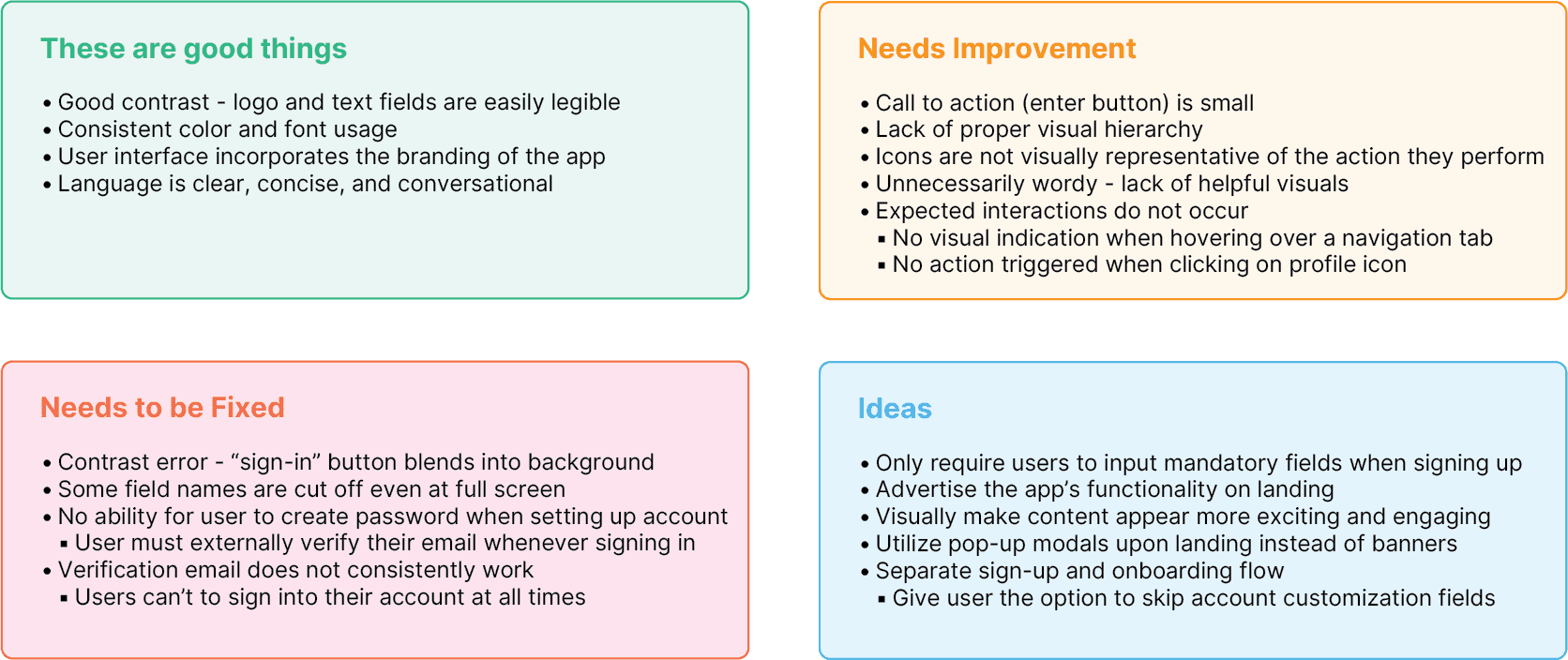
UX Audit
I conducted a UX/UI audit of Pinetree’s desktop experience to identify strengths, weaknesses, and opportunities for improvement, with a focus on the sign-up/sign-in flows, landing page, and overall navigation.
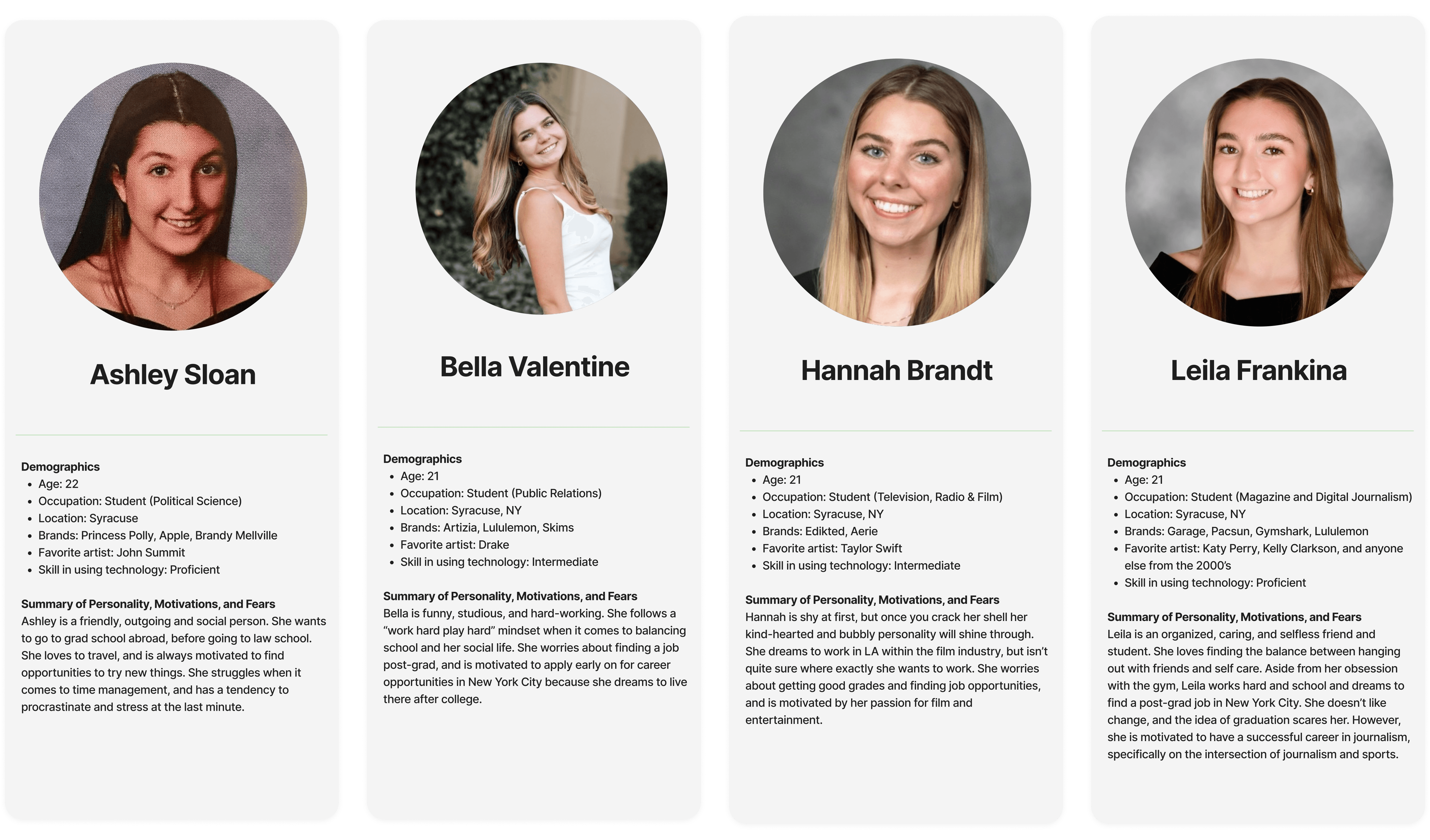
User Personas
Based on gathered user research and data like demographics, psychographics, and shopping behavior, I created detailed customer personas that represented the target audience of Pinetree.
Current-State User Journey Mapping
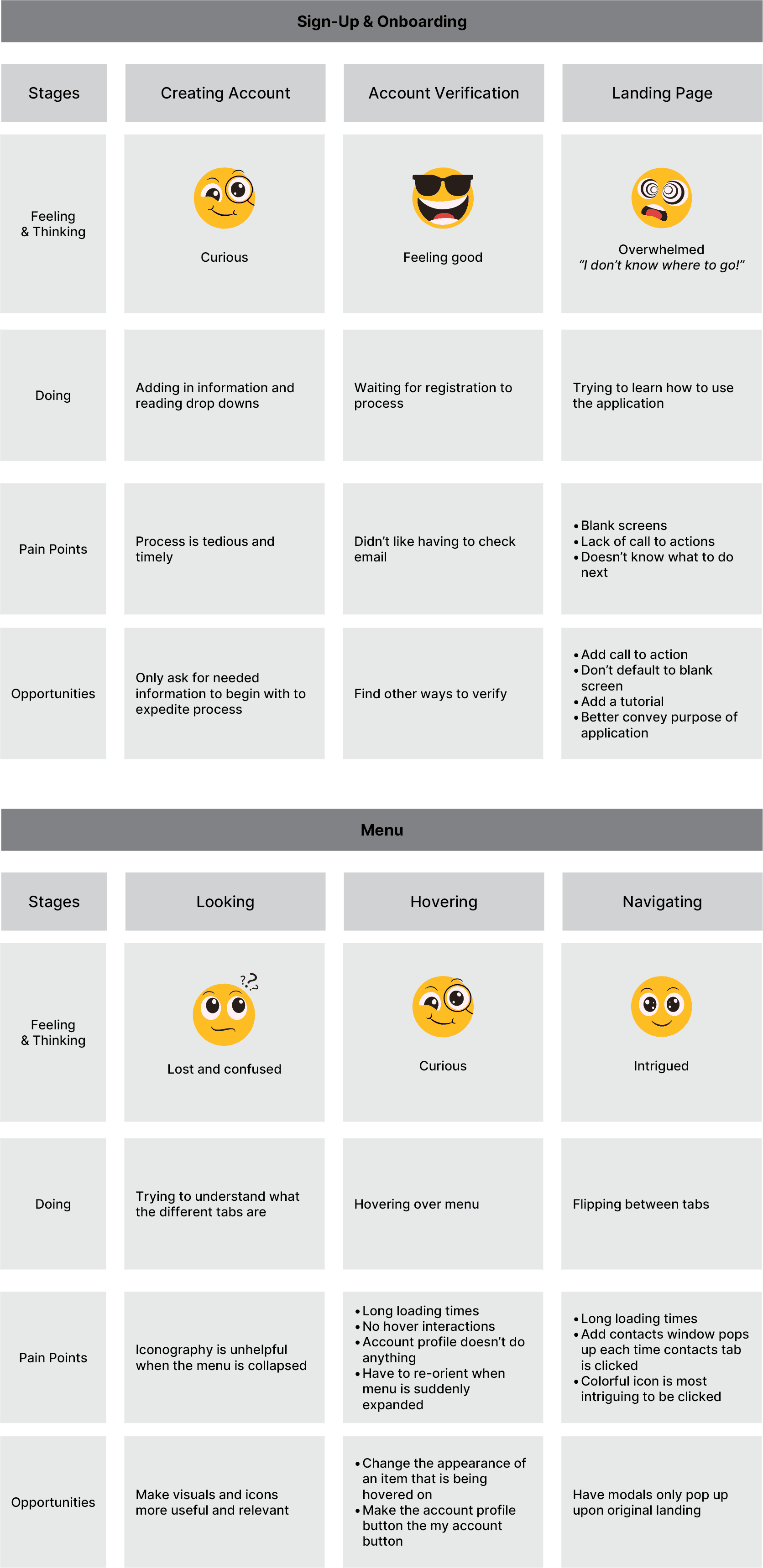
I observed users interacting with the desktop version of Pinetree in their natural environment and created current-state journey maps to capture existing behaviors and identify opportunities to improve the experience.
Competitor Analysis
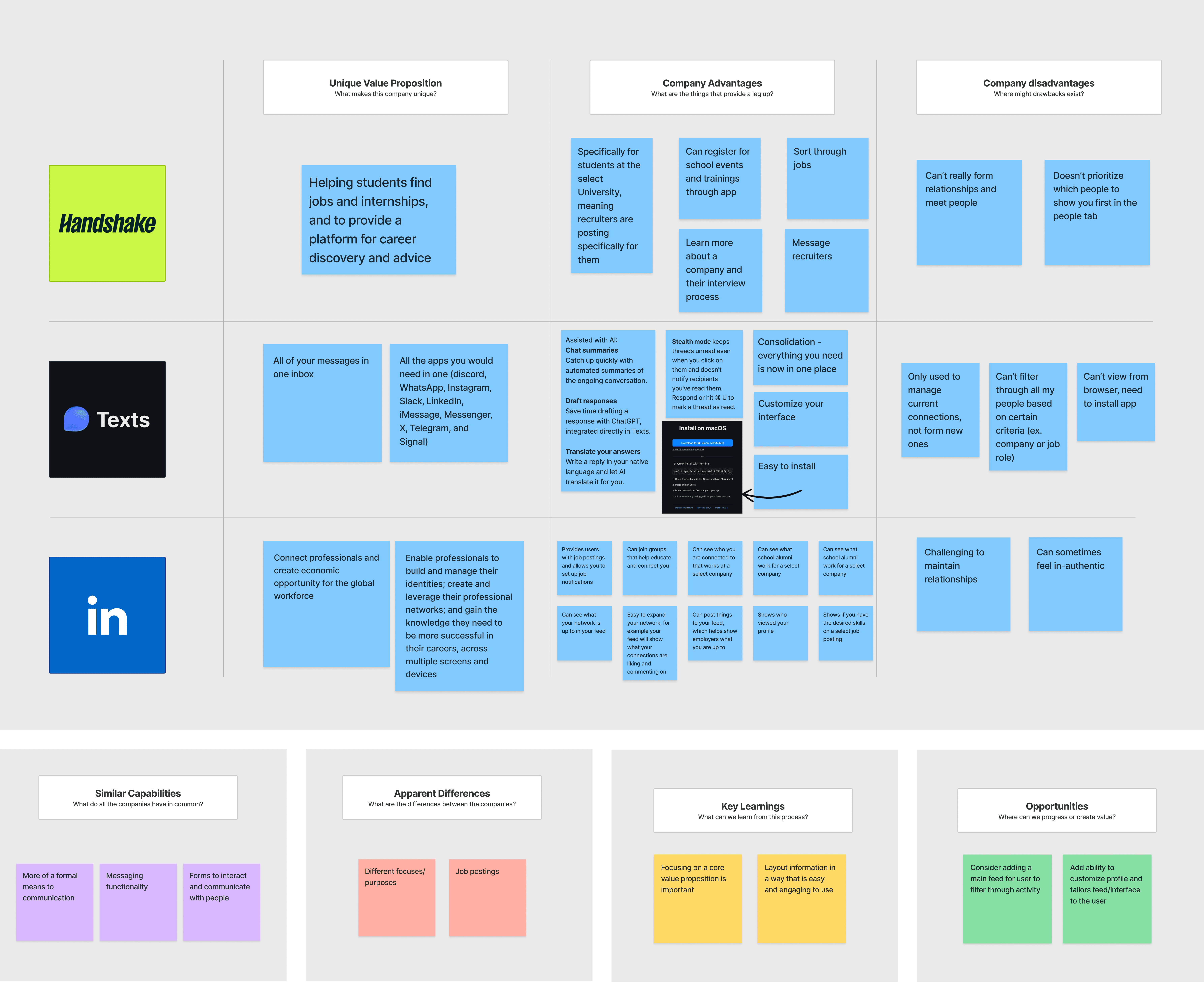
I evaluated competitor products to understand industry standards, identify gaps, and define a unique value proposition for Pinetree’s design.
WIREFRAMES
Low Fidelity Wireframes
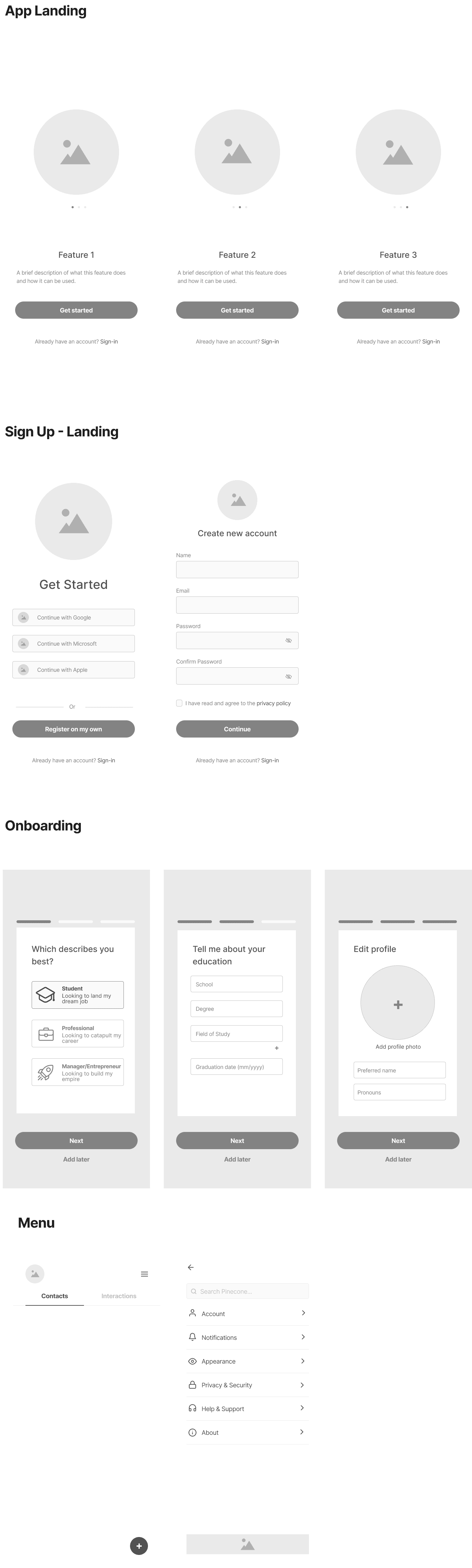
Presenting a low-fi layout to the client allowed me to get early feedback on my initial iterations and intensions. Based on feedback that I incorporated, the final layout I implemented differs from my initial wireframes.
DESIGN SYSTEM
Styleguide
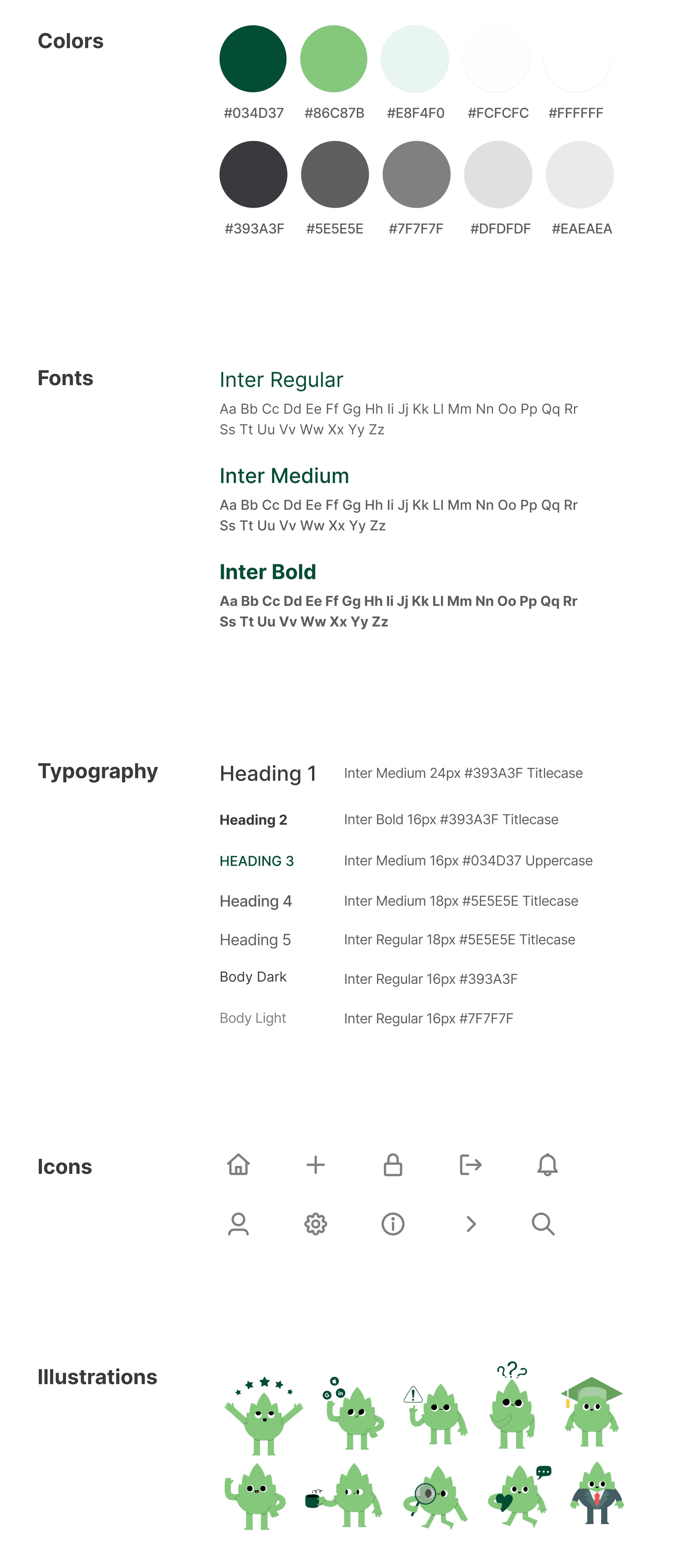
I created a styleguide based on the exisitng branding of Pinetree, updating it to incorporate my research. Based on my findings, I modified the colors to ensure stronger contrast, changed the typeface to enhance legibility, and implemented different text styles to maintain proper visual hierarchy.
MOCKUPS
High Fidelity Designs
I implemented the design system into high fidelity prototypes.
App & Landing
Upon opening the app, this is where the user will be brought. The Splash Screen will remain until the landing page has loaded, then will automatically transition into the landing flow given this is the user’s first time opening the app.
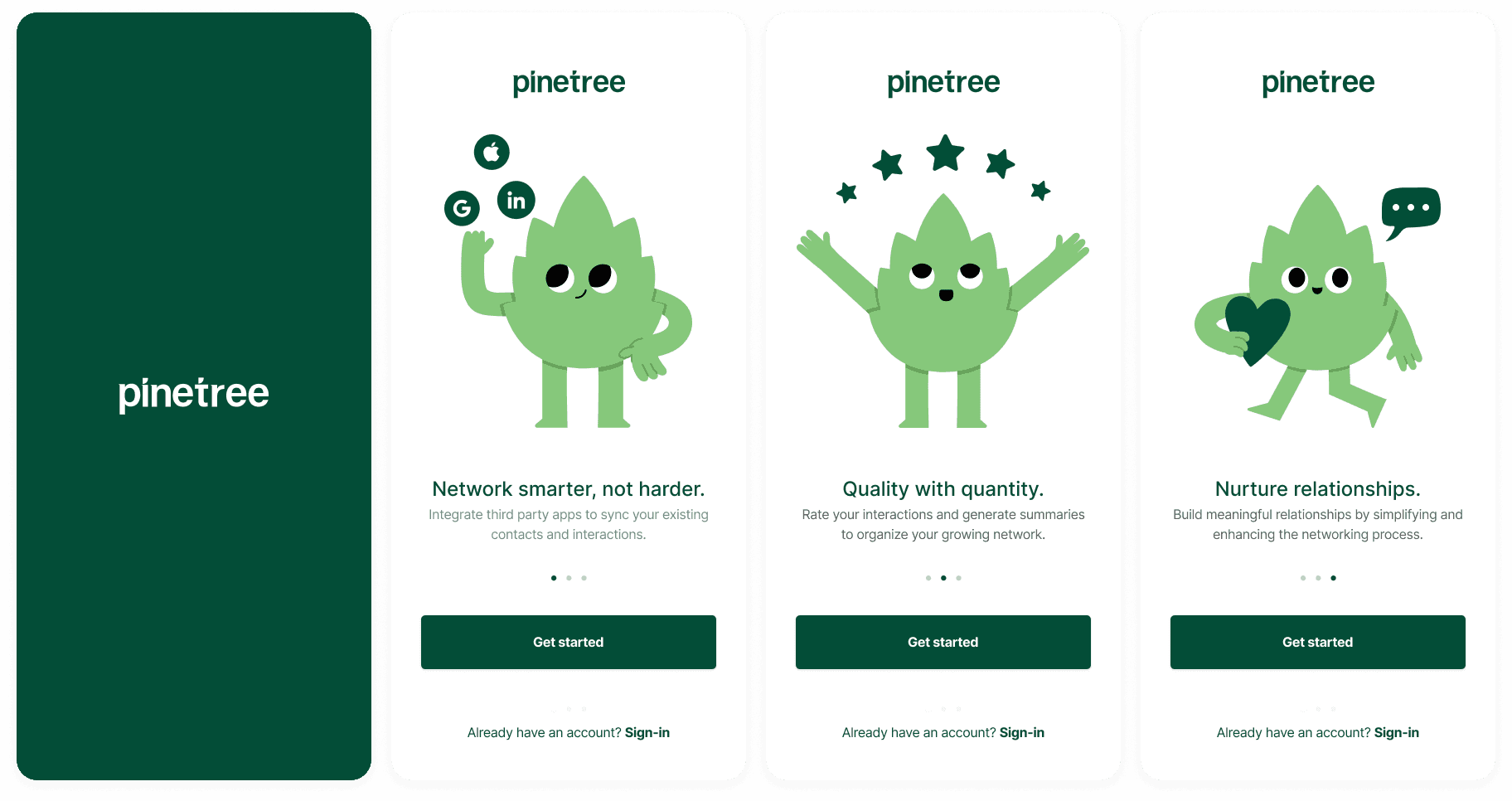
Sign Up & Onboarding
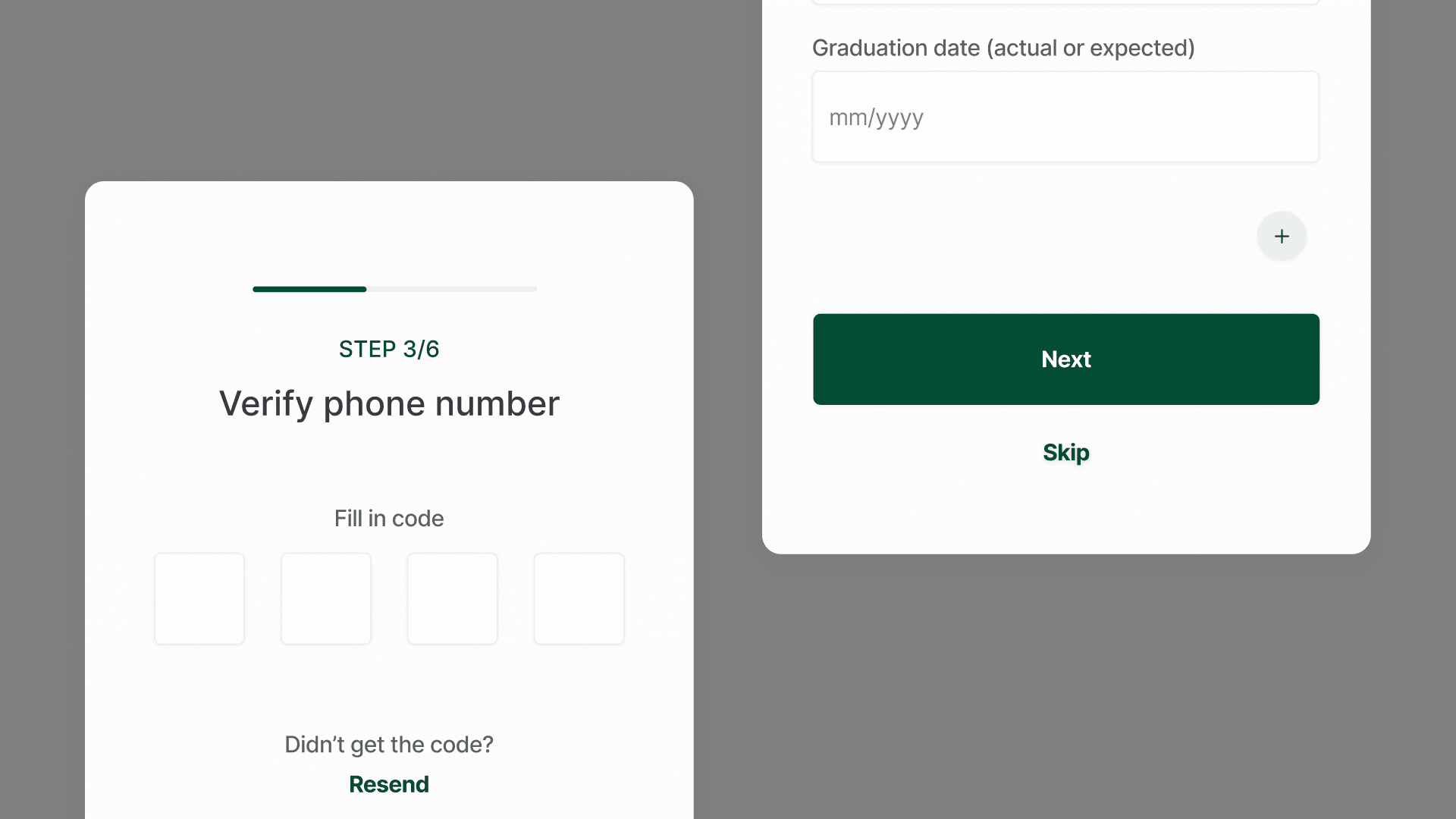
The first step in getting started is to sign up. After signing up with either a third-party or manually through Pinecone, the user will be directed to the onboarding flow. Mandatory screens in this flow (ex. name, verification) do not allow the user to skip, while optional fields do.
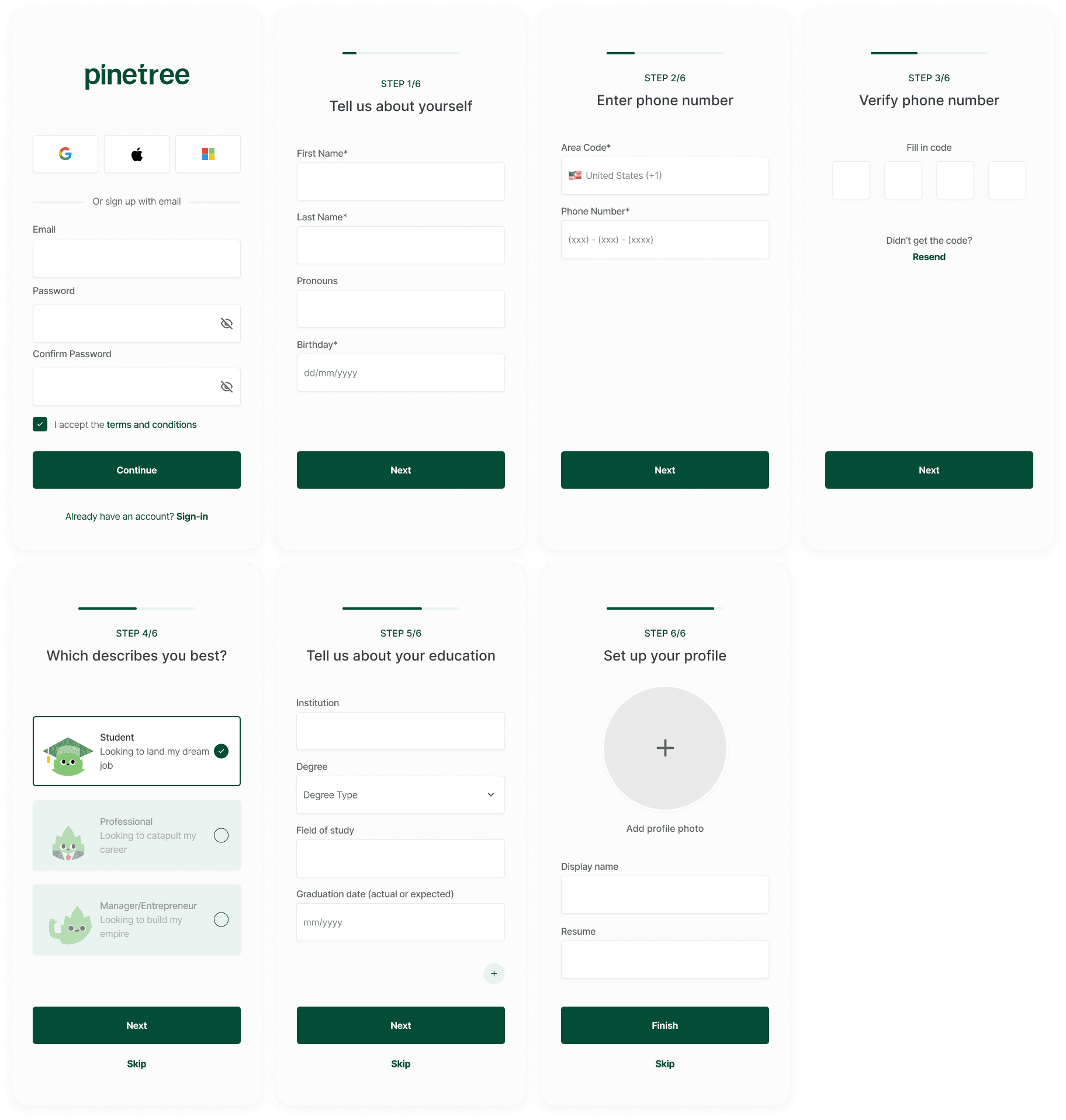
Menu & UX
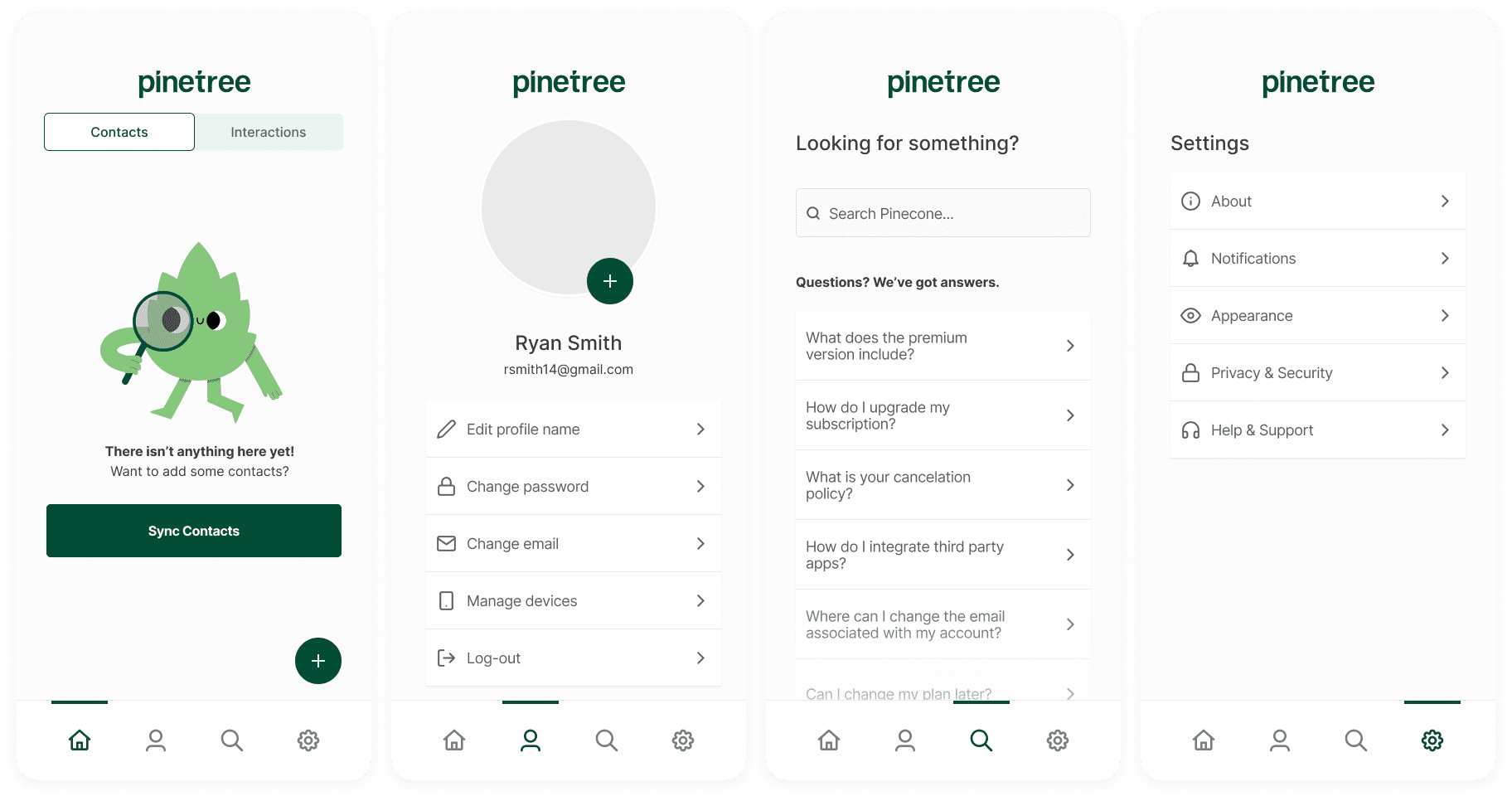
There are four pages the user can navigate between.
Home: this is where the user can view/add/edit their contacts and interactions.
Profile: this is where the user can customize their profile, edit the information used on their profile, or log-out
Search & FAQ: this is where the user can search the app, or read an FAQ article
Settings: this is where the user can customize their interface, notification settings, report a bug, etc.
DESIGN SOLUTIONS
User-Centric Design Decisions
My final screens related back to my initial research findings and problem statement.
Micro Animations
Based on my problem statement, my challenge was to find ways to engage and excite the user early on. My solution was to incorporate micro animations, as these are a great way to cater to the emotion of the user, without overwhelming them.
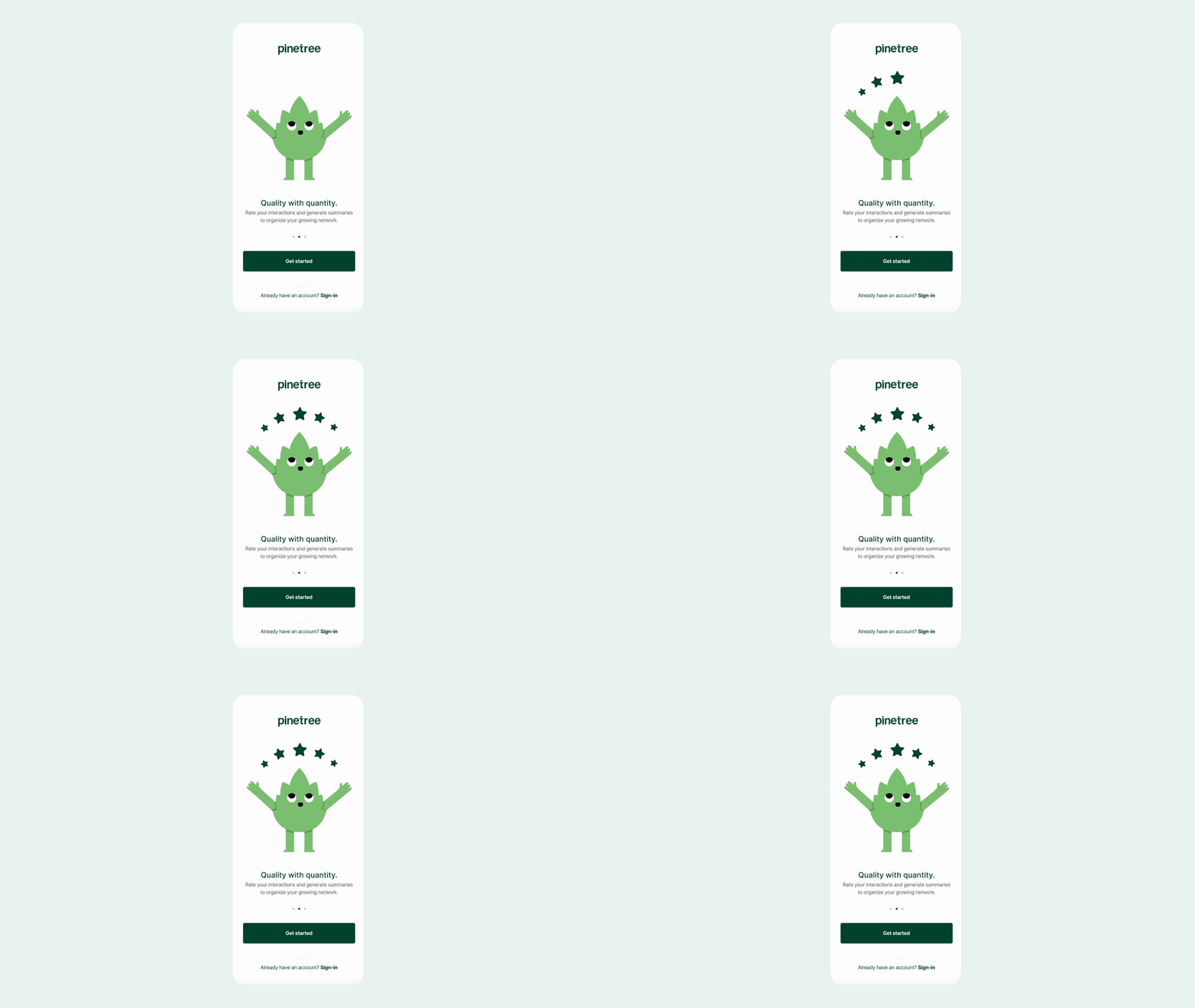
Content Visualization
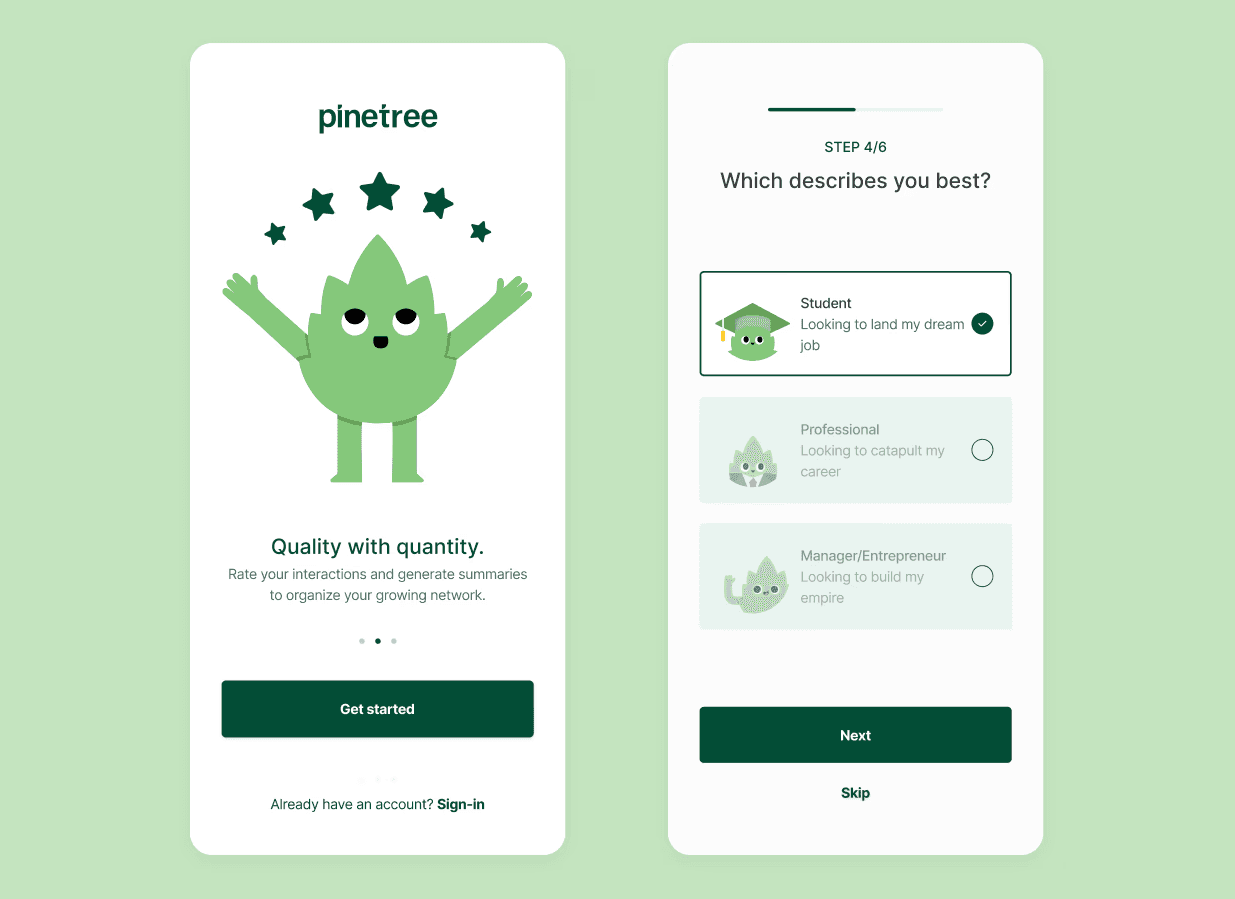
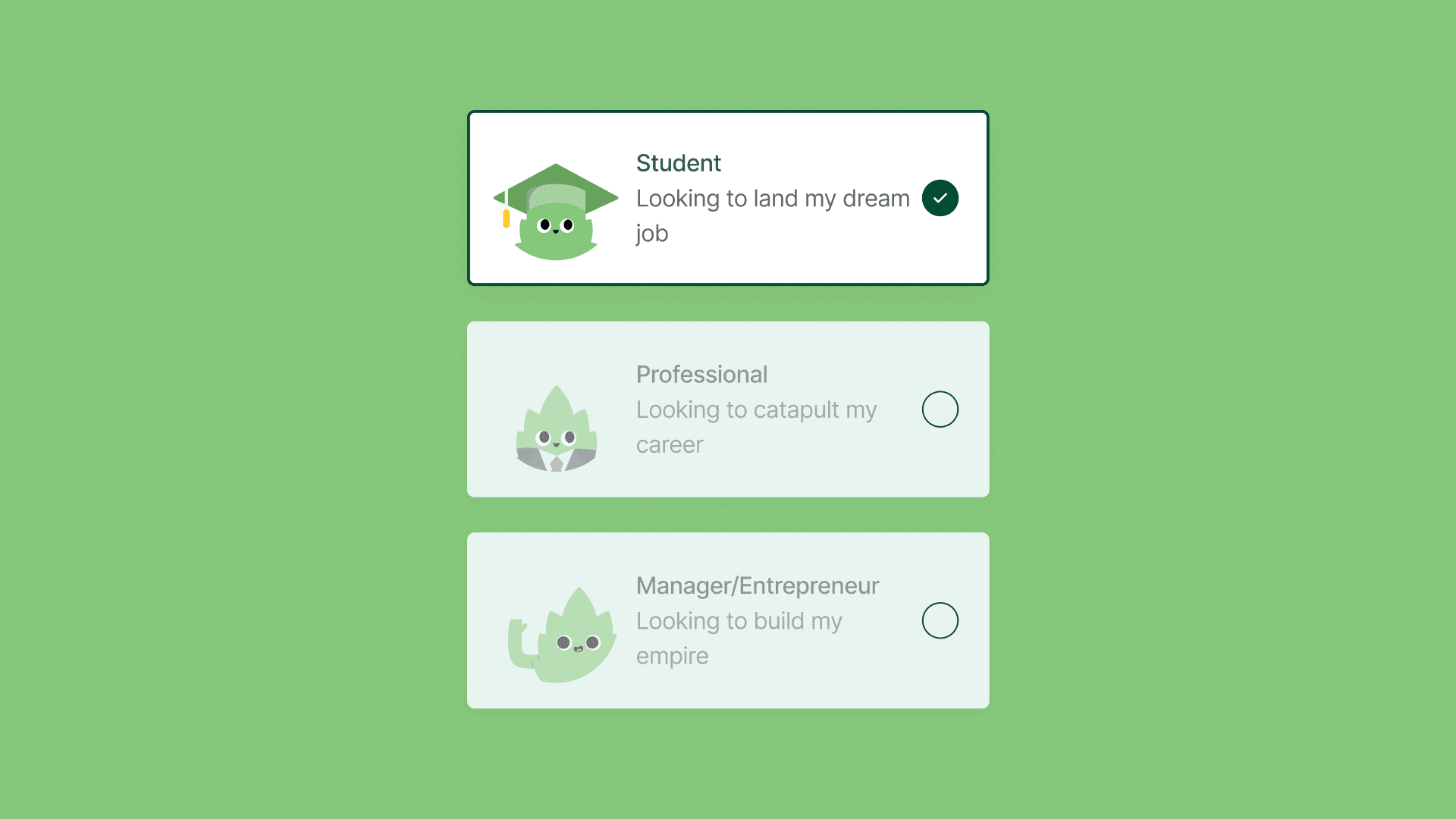
Based on initial feedback, the existing onboarding flow was too wordy. I took this problem as an opportunity to incorporate the brand's identity into the user experience. To help the user, I illustrated Pinetree characters that resemble what the form indicates. This allows the user to choose an option by looking, rather than reading, which is quicker and more efficient.
Progress Indicators & Skip Button
While researching, I highlighted allowing users to bypass optional fields as an opportunity to expedite the sign-up process. I implemented this, ensuring that users are able to skip only the fields that are not crucial to the account creation process. I also added and progress indicator to ensure the user was able to tell how far along in the onboarding process they are.
Impact🏆
Reduced friction in onboarding flow
Increased brand alignment
Accessible color palette and refined visual system
Next Steps
Next steps include usability testing the mobile onboarding flow to validate engagement, clarity, and completion rates. Insights from testing would inform design refinements and support a smooth handoff to development.