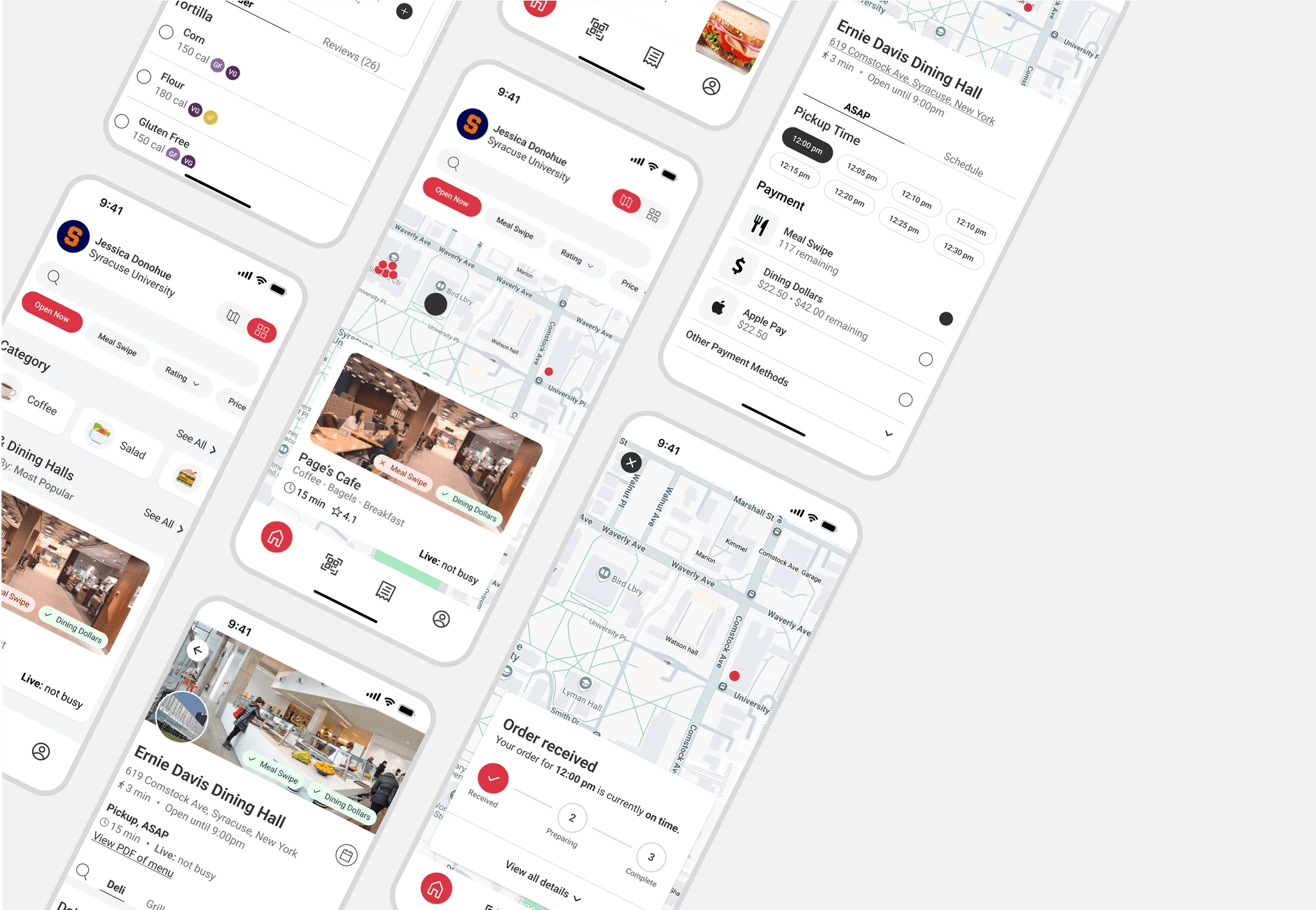
UX/UI Design, UX Research, Brand Design
Project Overview
EZ Eats is a food ordering app specifically made for college students wanting or order ahead at on-campus facilities and pay with their existing meal plans.
I designed the logo, user interface, and end-to-end user flows for browsing and checkout. Throughout the process, I conducted research and synthesized insights to define the target audience and shape the app’s core value proposition.
The Challenge
Through research, I found that students view on-campus dining as slow and inconvenient, with no streamlined way to order ahead.
Goals 🎯
Identify gaps in the market to define a clear value proposition
Design the core browsing and checkout flows
Create the brand identity for an on-campus ordering app
Skills
UX Research, UX/UI Design, Brand Design
Tools
Figma, Figjam, Adobe Illustrator, Google Forms
Role
UX researcher, UX/UI designer, Brand designer, Prototyper
RESEARCH & DISCOVERY
TL;DR: I began this project with the general idea of designing a food-ordering app for students, however, early research shifted the direction of the project to focus on on-campus ordering.
Surveys and competitive analysis revealed a major gap: most universities lack a digital solution for students to order ahead at dining halls or other meal-plan–eligible food locations. These insights led me to refine the focus of the problem space to the dining experience of university students.
Competitive Analysis
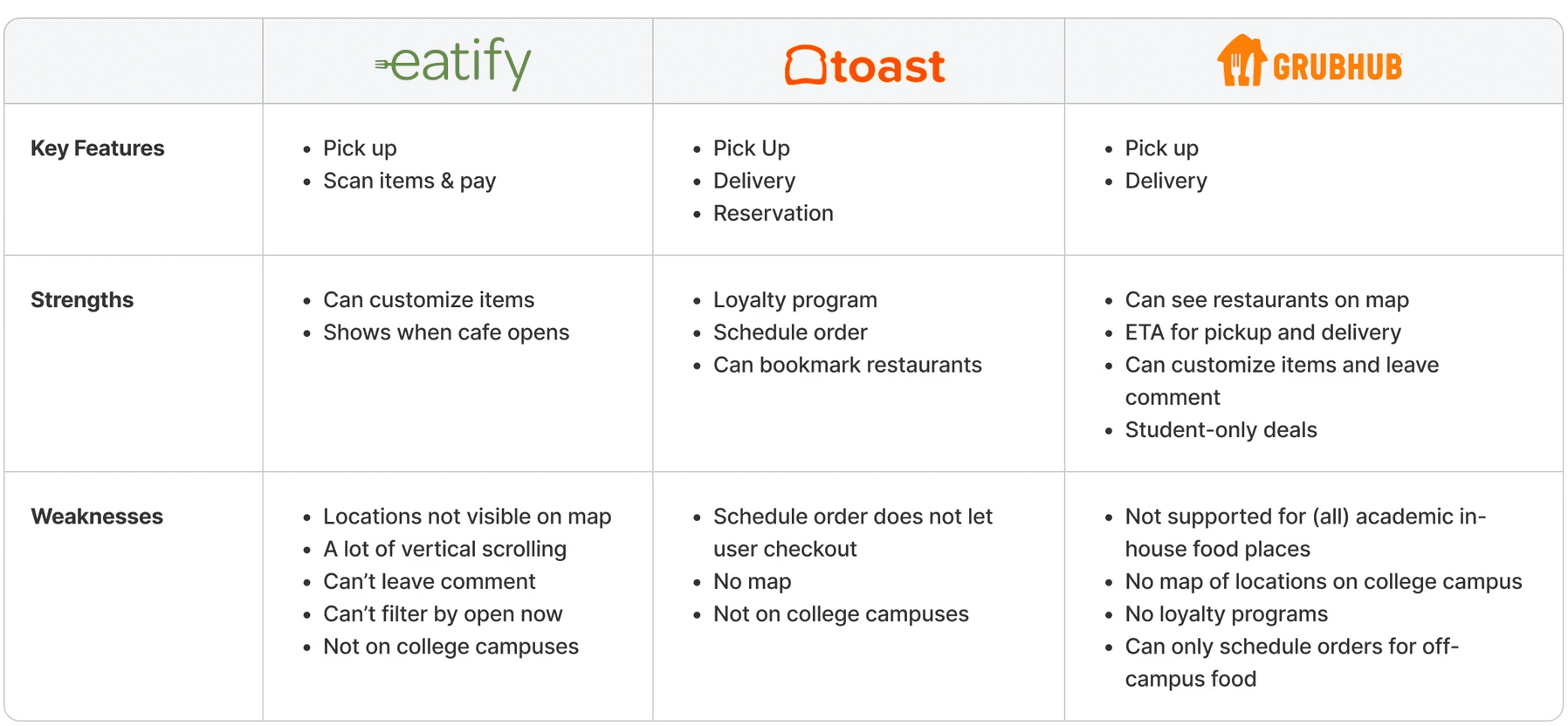
I analyzed a range of food-ordering apps to understand industry standard practices and identify opportunities to make EZ Eats stand out.
Surveys
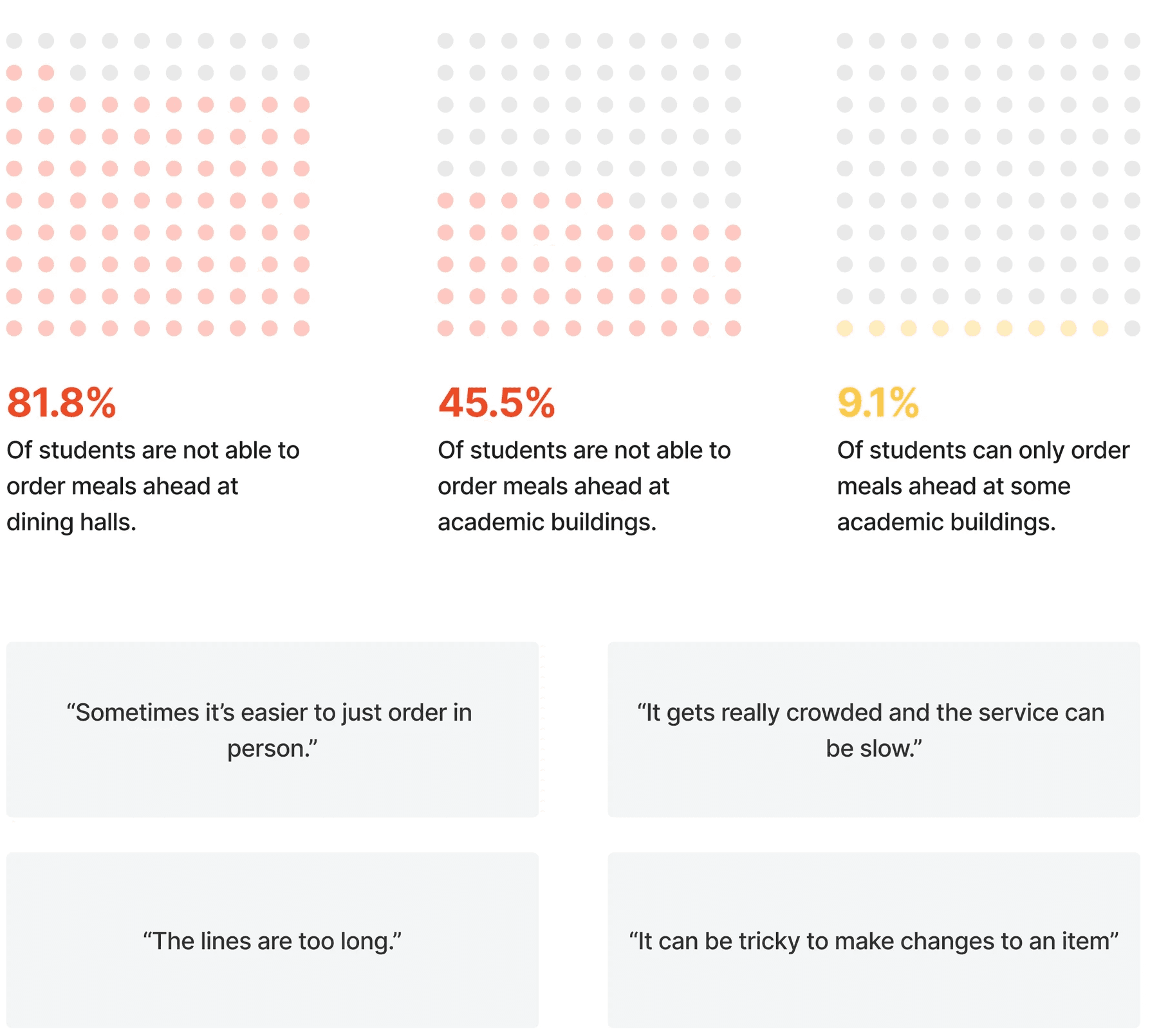
I distributed a Google Form to students at 20 universities across the U.S. to collect both qualitative and quantitative insights. Survey results highlighted that the biggest gap was ordering ahead at dining halls, which became the primary focus of the project.
DEFINE
User Personas
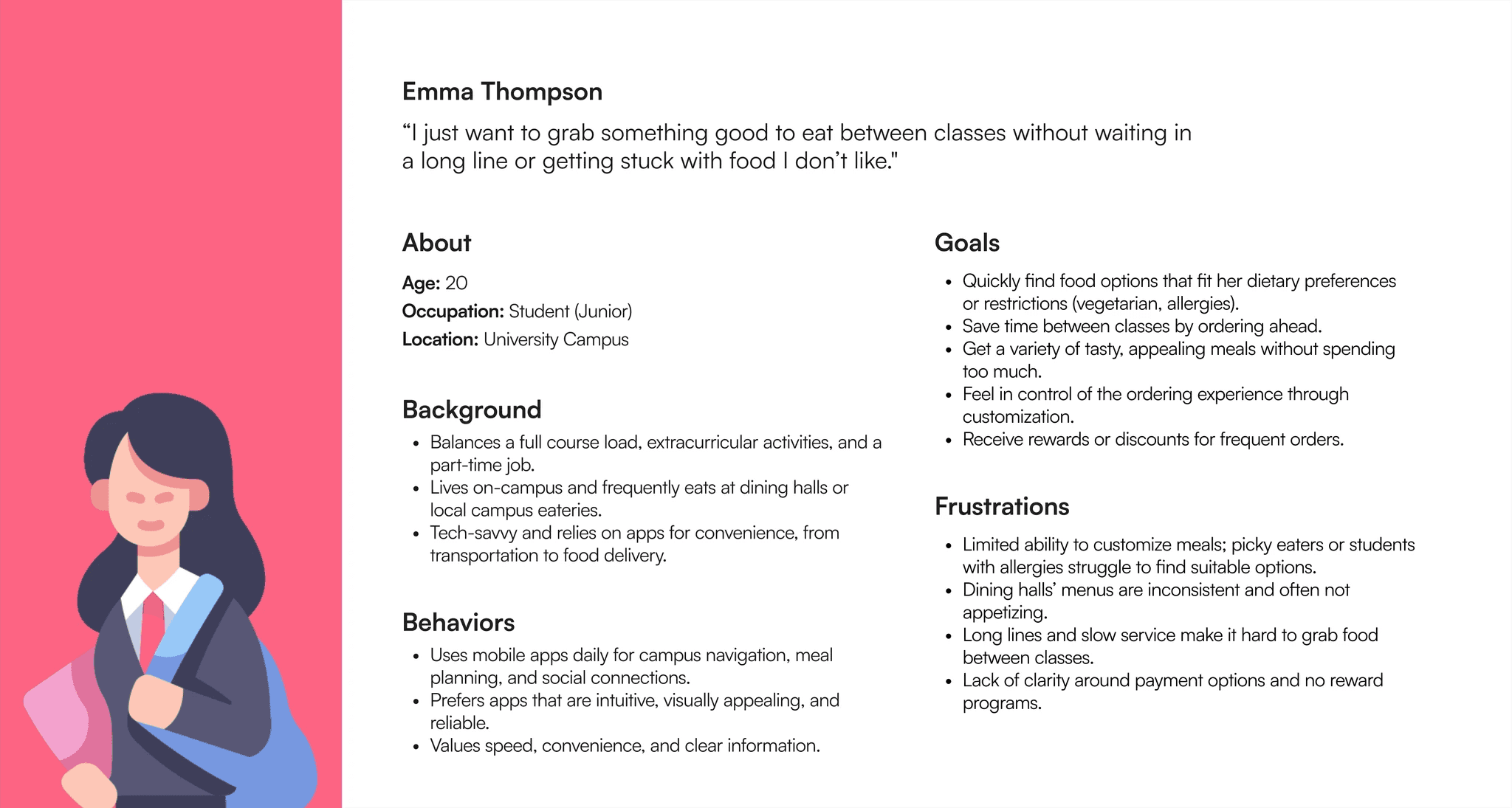
I defined personas for the key users of this product. For the sake of time, I focused on the primary user type, the student. Below is the persona representing that user group.
How might we elevate the dining experience for university students?
IDEATION
Mapping Pain Points as Questions
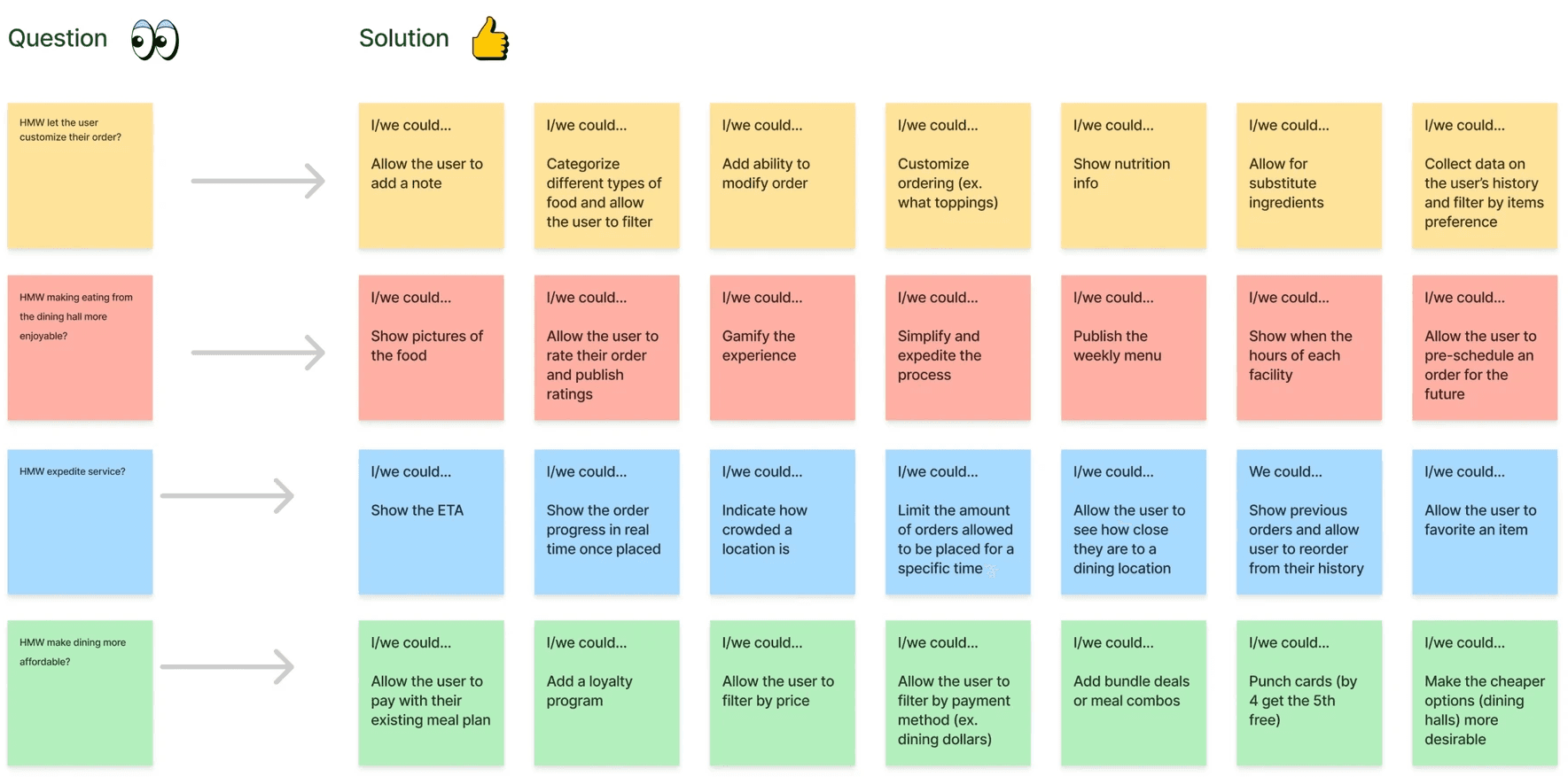
Through research, I identified four major frustrations students face with on-campus food ordering which directly informed the features and design decisions I made.
01
Limited customization
Students with allergies or specific preferences struggle to find suitable options.
HMW let the user customize their order?
02
Unpleasant experience
Menus change frequently, and food options aren’t always appealing.
HMW make eating from the dining hall more enjoyable?
03
Slow service
Crowded dining halls and long lines make getting meals between classes stressful.
HMW expedite service?
04
Cost & payment confusion
Students face unclear payment options and a lack of rewards or incentives.
HMW make dining more affordable?
Ideating Solutions
Using the guiding questions derived from research, I brainstormed potential solutions for each key pain point. This process ensured every design decision was directly tied to a validated user need.
Prioritizing Ideas
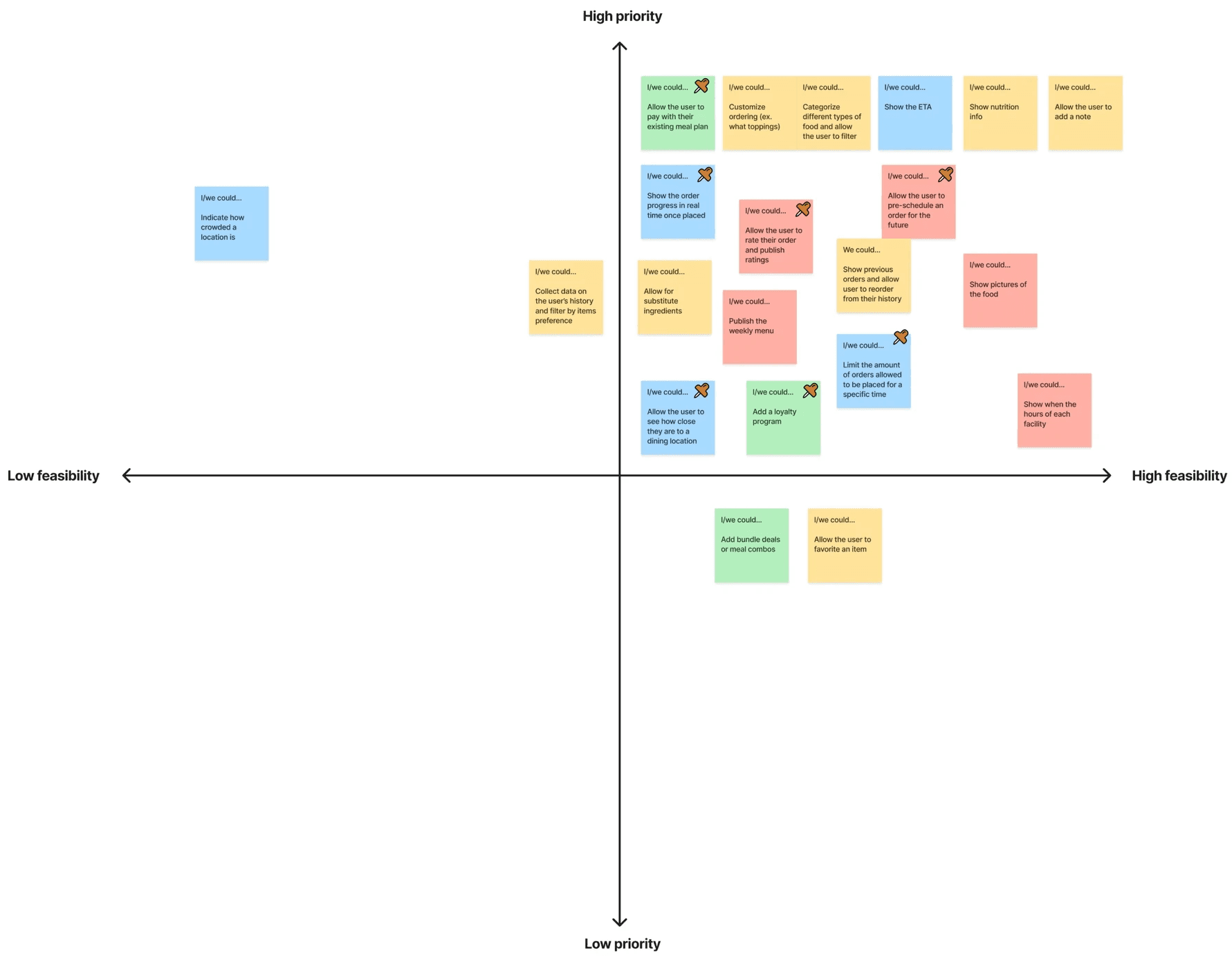
To determine which features to tackle first, I mapped potential solutions on an Impact-Effort Matrix. This helped me focus on features that were both high impact and feasible to implement.
WIREFRAMES
Mid-Fidelity Designs
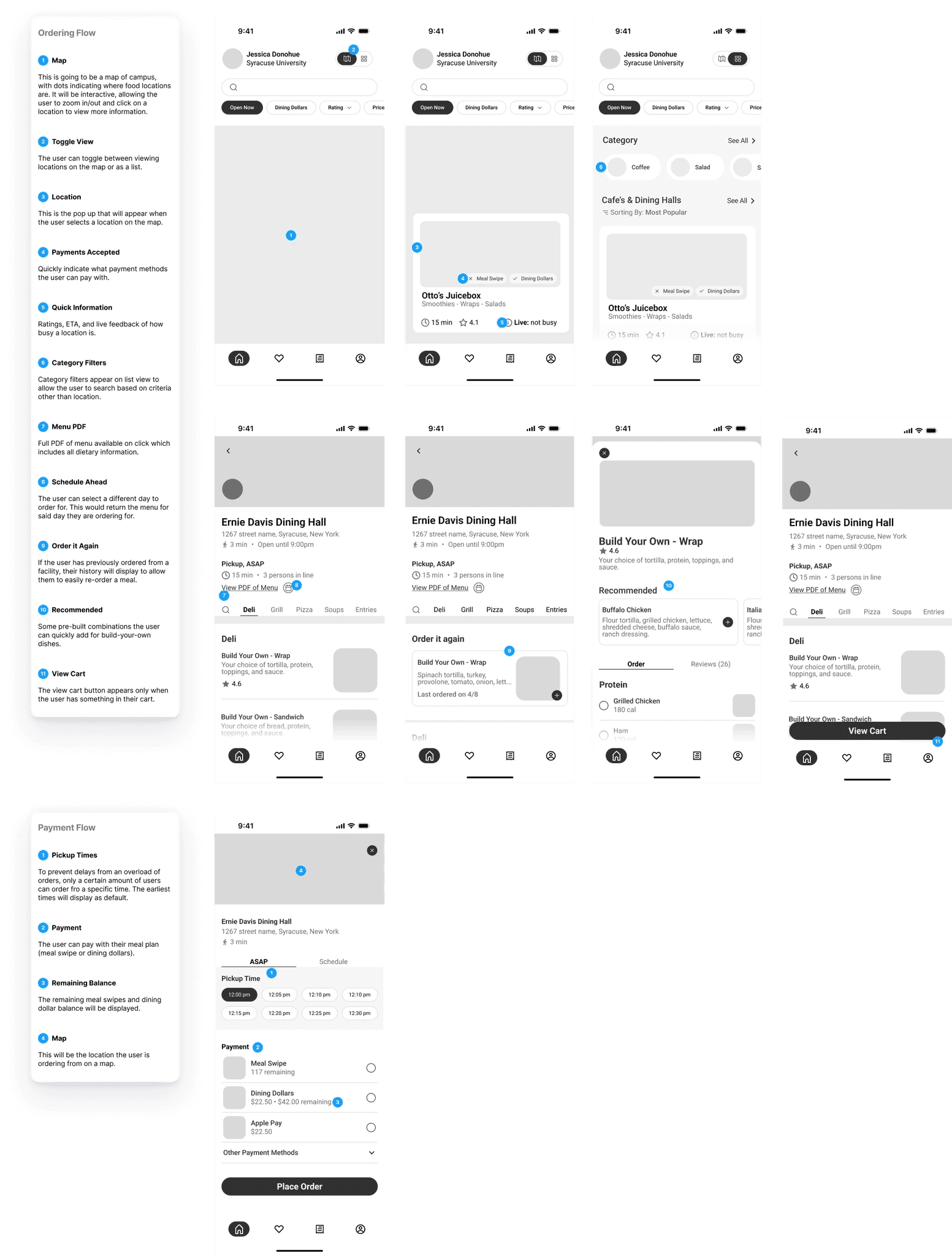
Creating mid-fidelity wireframes allowed me to design a layout that effectively showcased the features and functionality that I planned to implement.
BRAND DESIGN
Guiding Idenitity
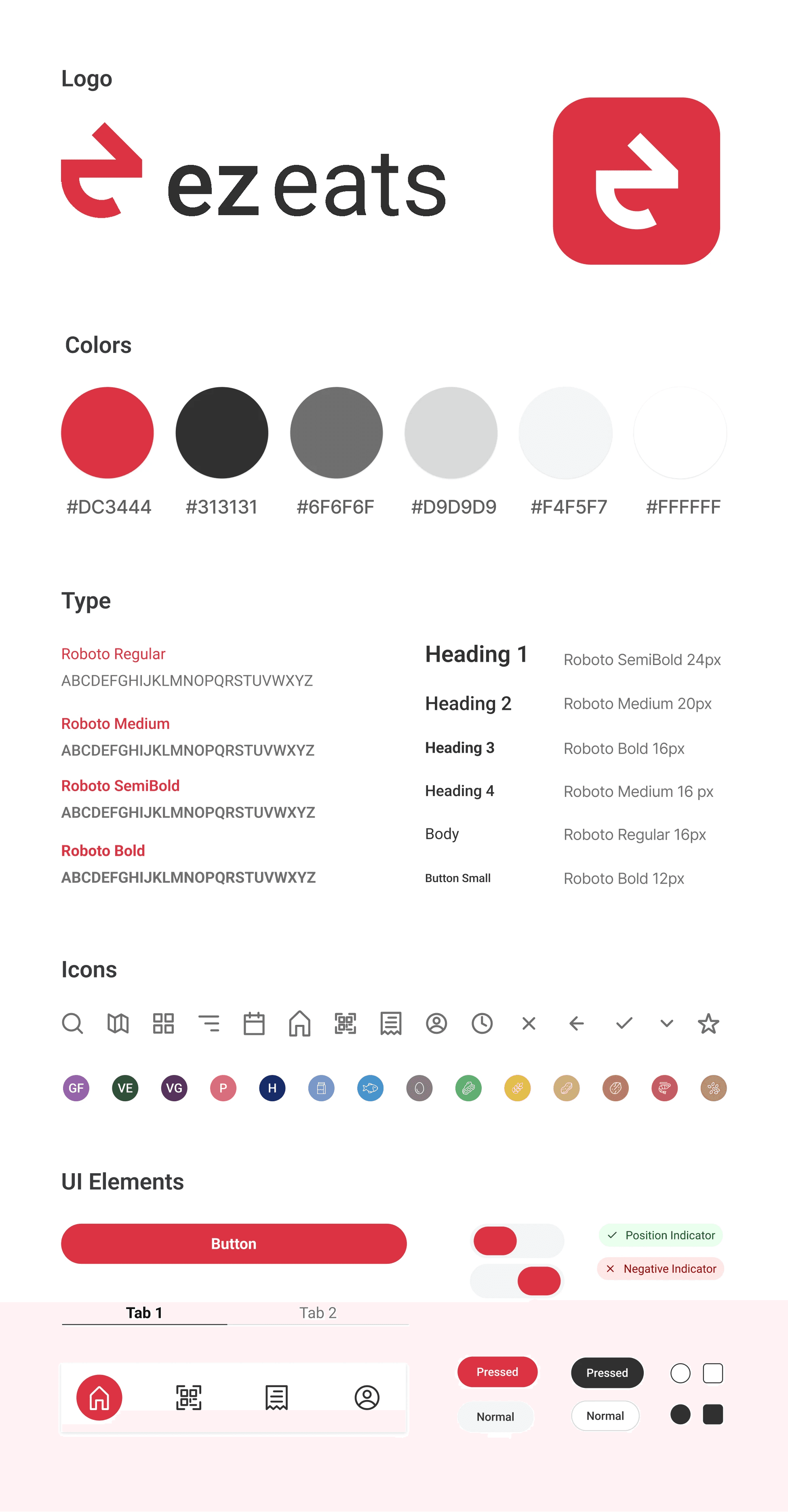
Through the creation of the logo and design system, I focused on crafting a visual identity that conveyed convey speed, reliability, and efficiency. I adopted a minimalistic, geometric style that aligns with tech-focused branding and communicates a modern, professional feel.
Logo
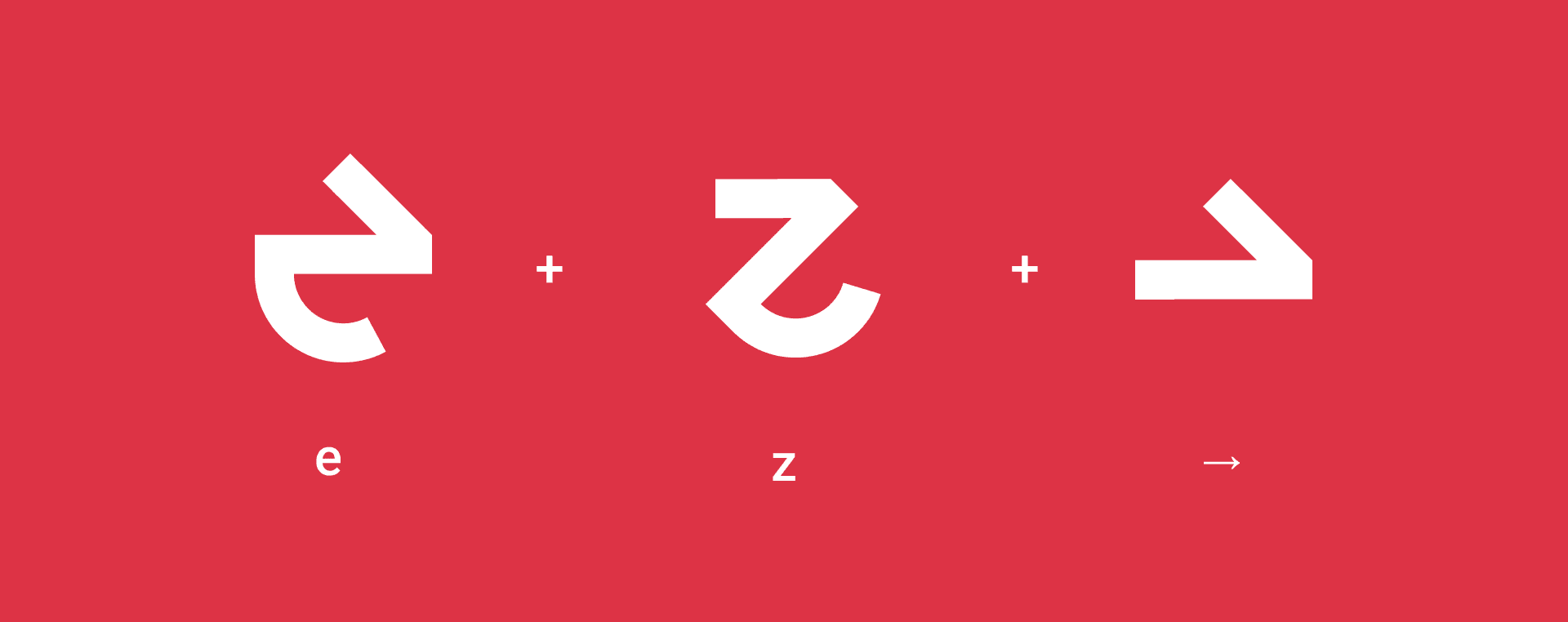
I wanted the logo to portray the brand identity while also conveying they speed and efficiency that EZ Eats has to offer. I did this by combining an "e", "z" and arrow into one mark.
HIGH-FIDELITY DESIGN
Design System
Based on the logo, I created a design system to be used throughout the app's interface. In doing so, I had to modify the color of the logo because it did have a high enough contrast ratio against white text to pass AA web content accessibility guidelines.
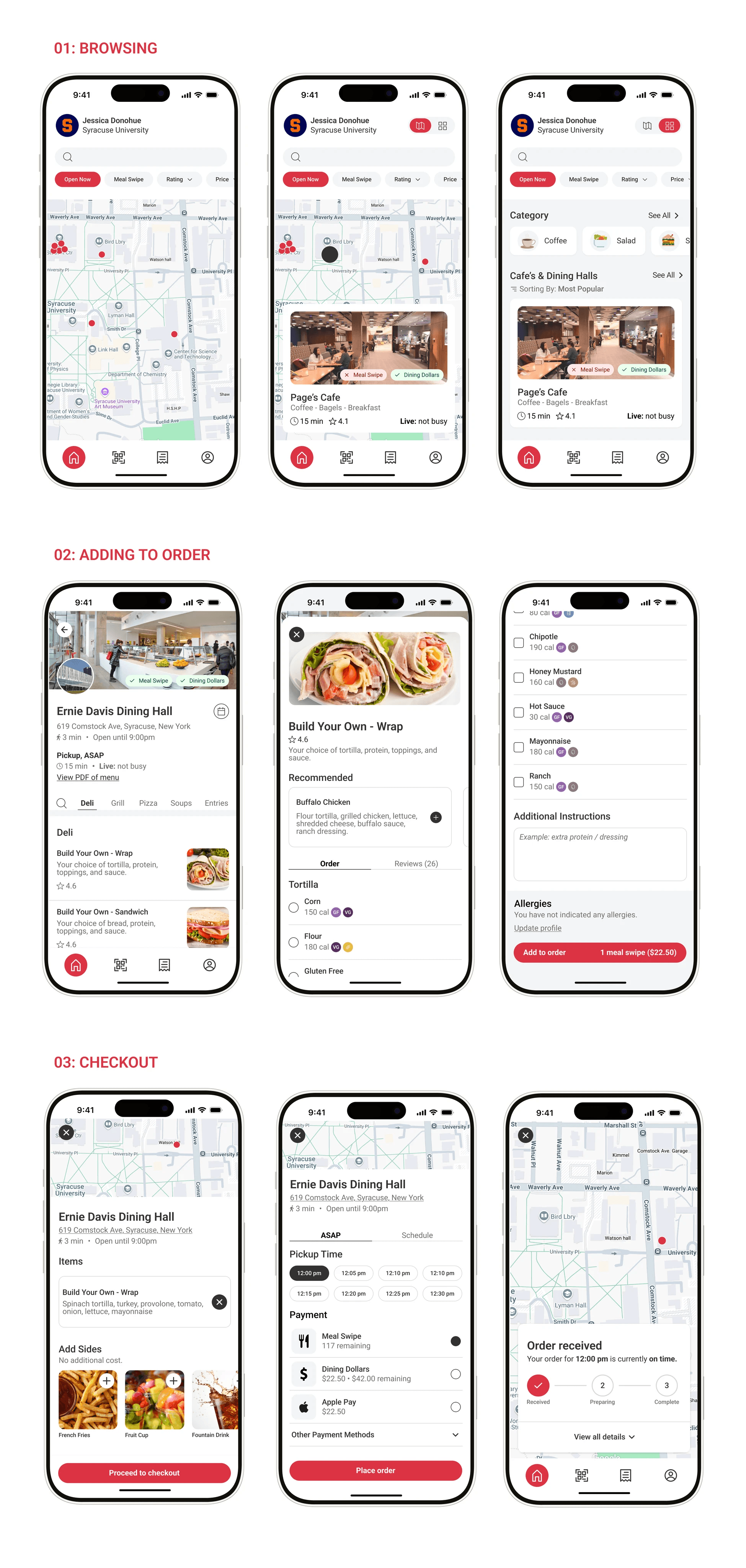
Mockups
I applied the design system to the interface.
SOLUTION
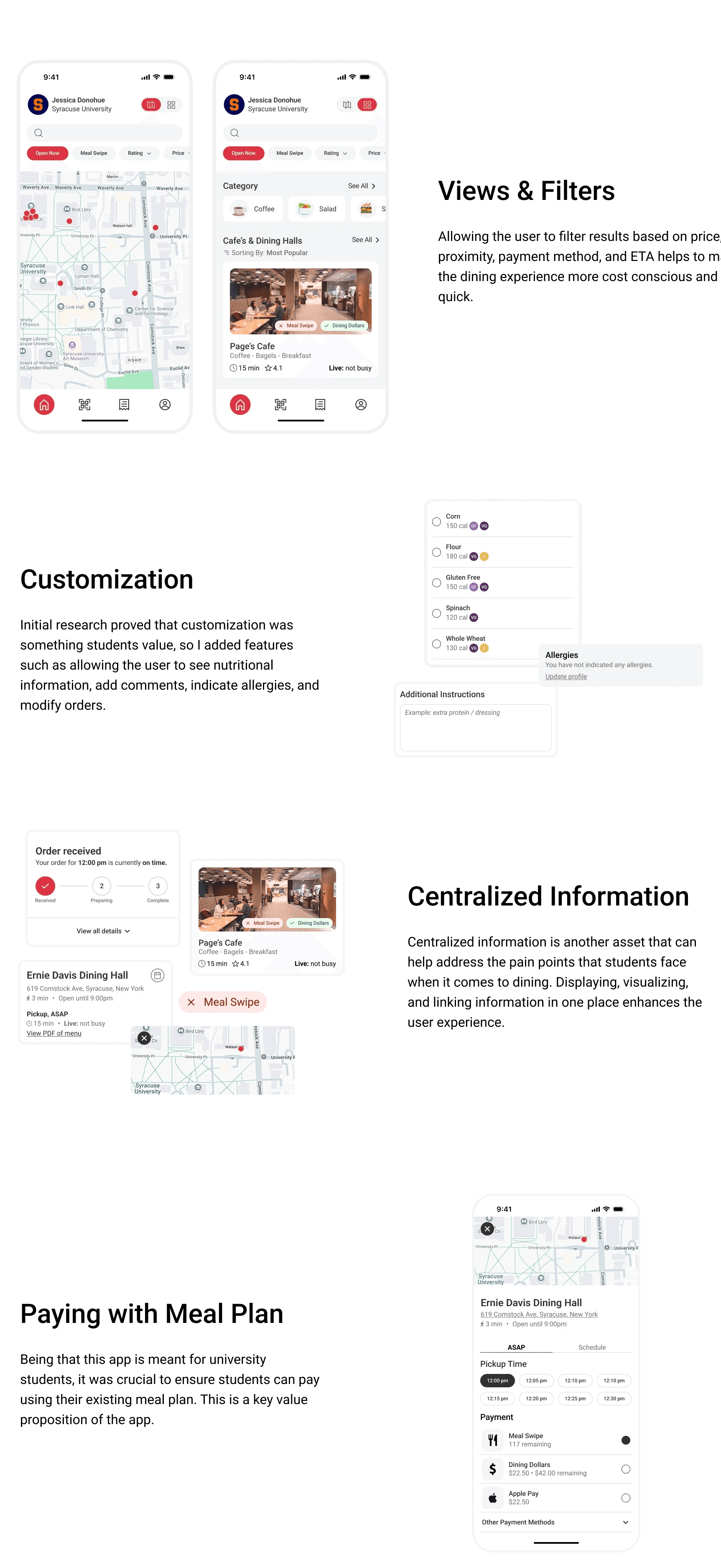
User-Centric Design Decisions
I made strategic design decisions by implementing a data-driven and user-oriented approach.
HIGH-FIDELITY DESIGN
Design System
Based on the logo, I created a design system to be used throughout the app's interface. In doing so, I had to modify the color of the logo because it did have a high enough contrast ratio against white text to pass AA web content accessibility guidelines.
Mockups
I applied the design system to the interface.